Hello BRCommunity  ,
,
After two years of operation and based on feedback from a survey of you, our real users, we have decided to implement a structure update of the B&R Community,
which will better suit the current content and the direction of our forum. The main objectives were:
- to still keep usage as simple as possible, especially for new users, while helping them improve the quality of their posts
- better organization of existing content, making it easier to search, filter and navigate (for specific questions)
- faster navigation to new and unresolved topics

Quick Overview of Changes:
- Update of main categories and introduction of subcategories
- Redesign of left banner sections to group logically related information
- New topics overview: Latest posts versus category-based view
- User Top Menu – added new options to see their posts or bookmarked posts
- CoLab projects moved to a new category
- “Wiki type” post
Minor Changes:
- “Good question hint” for Ask Question
- Other invisible changes, such as:
- Category field for new posts is preselected as default to AskQuestion
- new user can add 2 pictures in new post
- Extended attachments – added profiler, logbook and system dump (still preferred to pack everything in zip file)
- New user Group B&R Support Expert
- etc.
Categories update/Introduction of sub categories
The main categories have been reduced to four, and a new category Forum Feedback has been added.
The structure is designed so that users can easily understand what to expect inside each category just by looking at its name and description.
Each main category now includes subcategories for better topic organization.
But don’t worry — if you’re not sure which subcategory to choose, you can still create your topic directly in the main category or under Other.
Our moderators and B&R experts will make sure it’s placed in the right section.
Recommendation:
Navigate to the subcategory your question relates to and then click New Topic.
The category and subcategory fields will be filled in automatically.
Category Overview:
- Questions & Support – Do you have a problem or just want to discuss a concept or idea? This is the right category for you.
- Share Info & Ideas – Found an interesting solution or developed a piece of code you’d like to share? This is our Community Wiki.
- Announcements – Here you’ll find Community-related updates as well as B&R news, such as innovations and important releases, along with invitations to technical events and webinars.
- CoLab Projects – Complete projects supported or even developed by the Community users.
- Forum Feedback – Want to suggest an improvement or share your feedback? This is the right place.

Subcategories Overview for Questions & Support:
- B&R Software & Runtime
- Programming
- HMI & Visualization
- Controls & Vision
- Mechatronics & Motion
- Other Topics

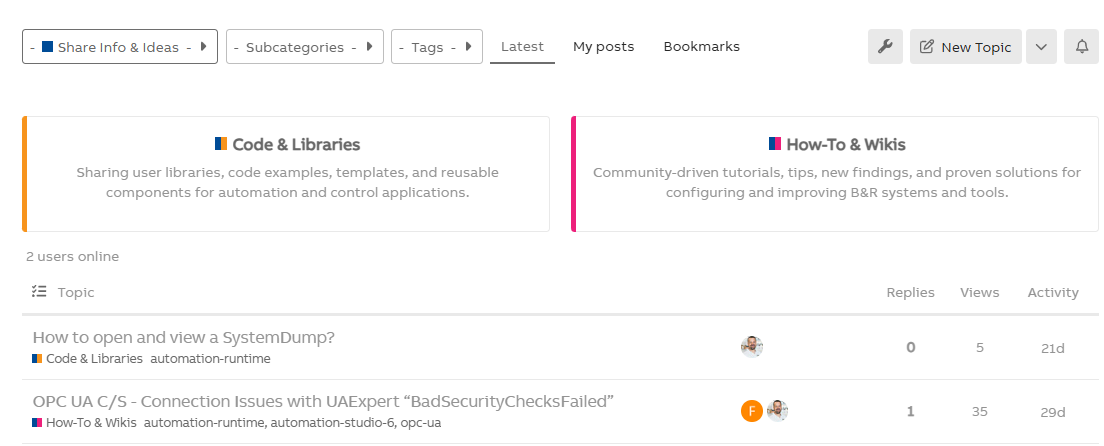
Subcategories Overview for Share Info & Ideas:
- Code & Libraries
- How-To & Wikis
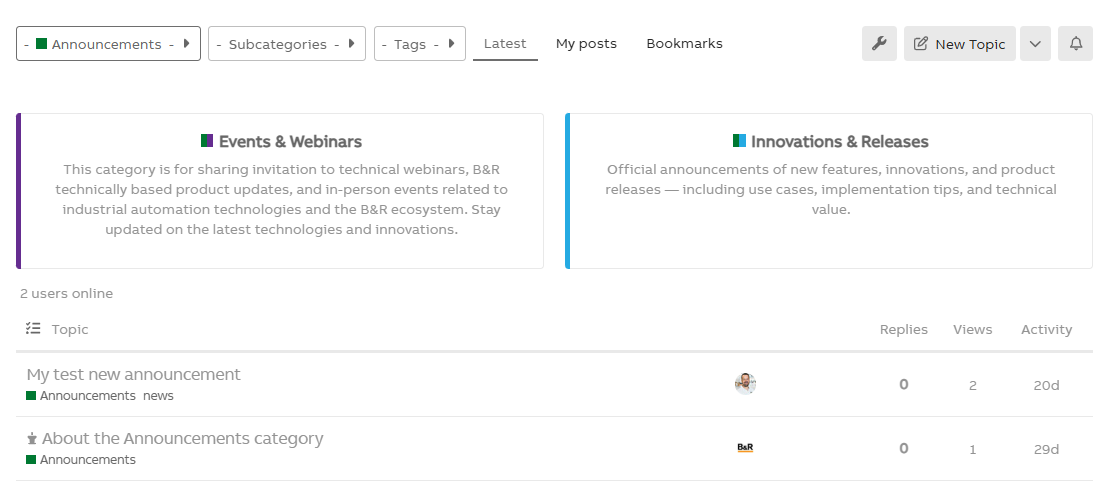
Subcategories Overview for Announcements:
- Events & Webinars
- Innovations & Releases
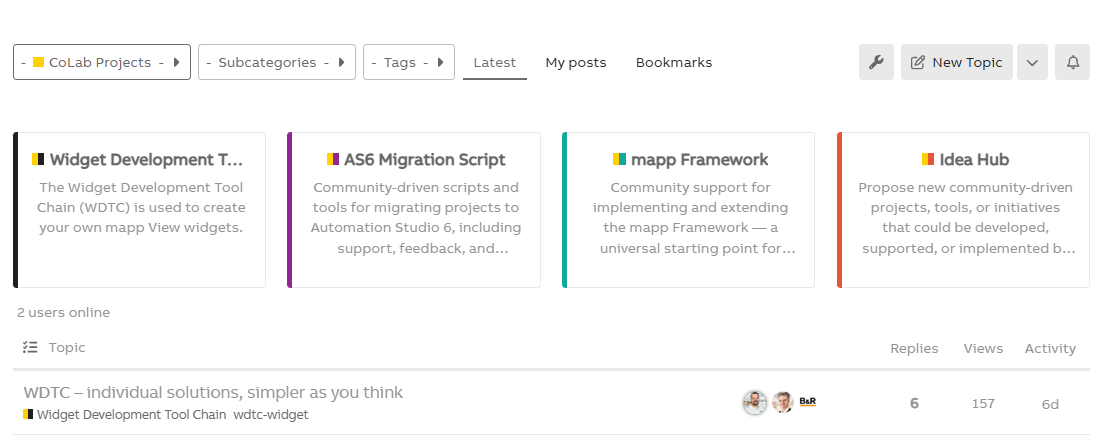
Subcategories Overview for CoLab Projects:
- Widget Development Tool Chain
- AS6 Migration Script
- mapp Framework
- Idea Hub
New Topic Creation:
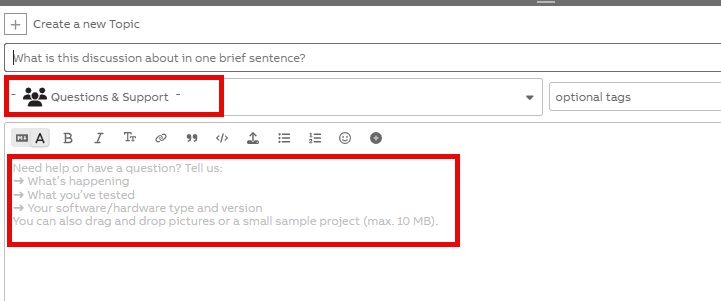
The Category field is filled in automatically. On the main page, Questions & Support is selected by default. If a user is in a subcategory, the Subcategory field is also filled in automatically.
In the editor, a hint is provided to guide users on what a proper post should contain. This is only a recommendation, and the text disappears as soon as the user starts typing their question.
User Top Menu Extension:
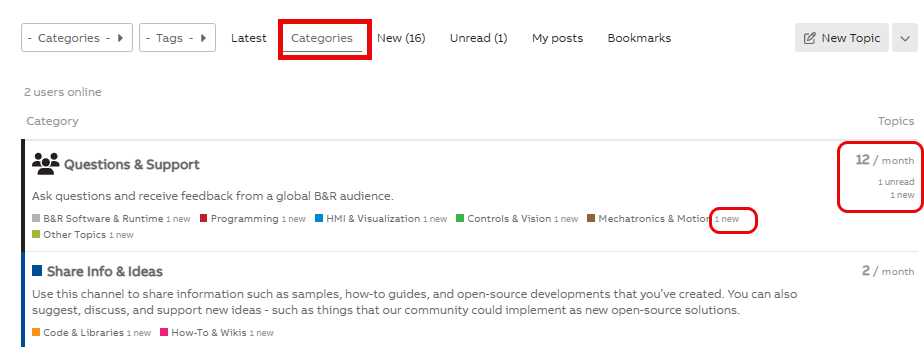
Topics Overview
By default, the topic overview shows the latest topics, sorted from newest to oldest. This has now been extended with a category-based overview.
With this view, a user can focus on a specific category and see unread and new topics within that category since their last visit. This information is also available for subcategories.
User-Related Topics Overview
The New Topics and Unread Topics views have been extended to include:
- My Posts – topics published by the user
- Bookmarks – topics saved by the user

Left Banner – Sections Redesign
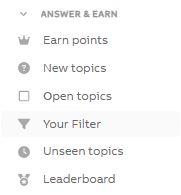
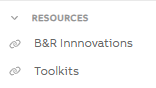
The information in the left banner has been reorganized, and two new sections have been added: Answer & Earn and Resources.
Section: Answer & Earn
Community is all about collaboration. This section provides clear information on how to earn points, a link to the leaderboard, and—most importantly—quick navigation to:
- All New Topics – discussions that have not yet started
- All Open Topics – discussions that have started but have no confirmed solution
- Unseen Topics – topics the user has not opened yet
- Your Filter – allows users to filter topics based on their requirements
Section: Resources
This section contains links to channels with specific content:
- B&R Innovations – technical presentations of B&R news and important releases.
- Toolkits – an overview of topics where users have shared ready-to-use scripts, libraries, or other applications.
Wiki posts
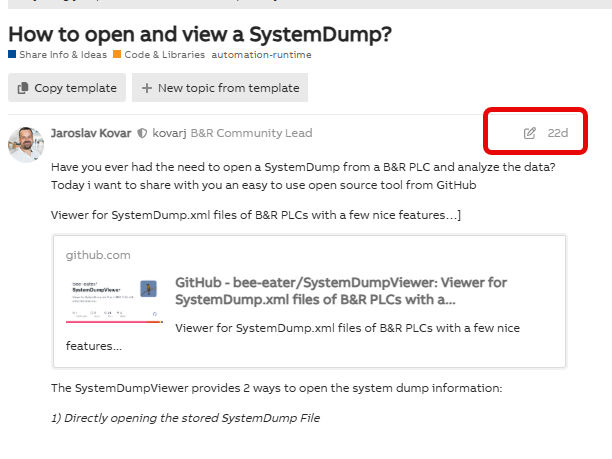
Topics in the Share Info & Ideas category are now in the “Wiki post” format. These posts can be edited not only by the author but also by any user with the appropriate trust level (Trust Level 1 or higher), ensuring that this knowledge base stays up-to-date.
Forum Feedback
You can share your feedback, ideas, and suggestions to help improve the B&R Community.

You can also participate in discussions and vote for your favorite topics.
Jaroslav 


