When connecting UAExpert to a controller with encrypted OPC UA communication and SSL communication partner validation enabled, it may happen that the connection cannot be established and is rejected with the error “BadSecurityChecksFailed”. In addition to the known causes, such as the client certificate not specified in the TLS configuration or unsupported algorithms, a detail from the UAExpert certificate may also be responsible for this behavior.
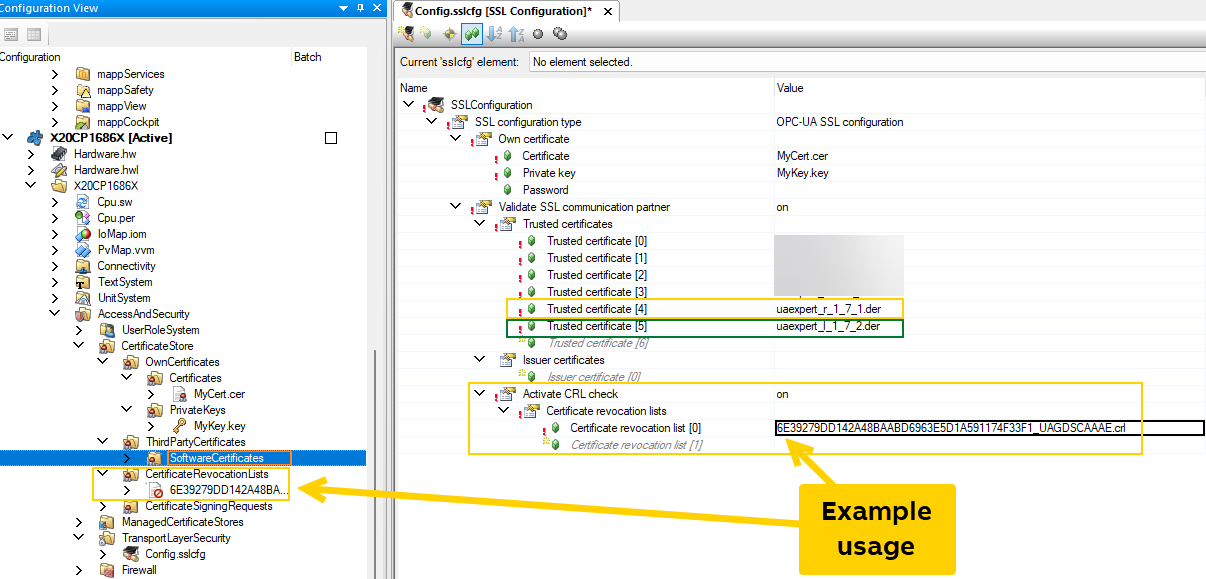
The issue arises because UAExpert has set the CA (Certificate Authority) flag in the application certificate, and Automation Runtime, starting from version 6.x, checks for this flag. If the flag is set, Automation Runtime also requests a CRL (Certificate Revocation List). Therefore, one must activate the CRL check in the AS and incorporate a CRL. Regrettably, Unified Automation does not provide a CRL with UAExpert.
Up to and including version 1.7.1, it creates its certificate with the following setting: =>

The user cannot influence this setting, at least I have not found any way to do so.
With this certificate, UAExpert can connect to controllers using Automation Runtime version <= 4.93. However, for Automation Runtime versions >= 6.0, this certificate no longer works.
Starting from version 1.7.2, UAExpert creates its certificate with the following setting: =>

The user cannot influence this setting, at least I have not found any way to do so.
With this certificate, UAExpert can connect to controllers using Automation Runtime version <= 4.93.
It also works for Automation Runtime versions >= 6.0.
It is crucial that the application certificate from UAExpert is regenerated after updating to a newer version.
Existing certificates are not automatically deleted upon UAExpert’s uninstallation.
Renewing the certificate can be done through the ‘Manage Certificates…’ option in UAExpert.

BR Fabian
