Hi Community,
Do you know how to change the default order for the data on the Cursors area?
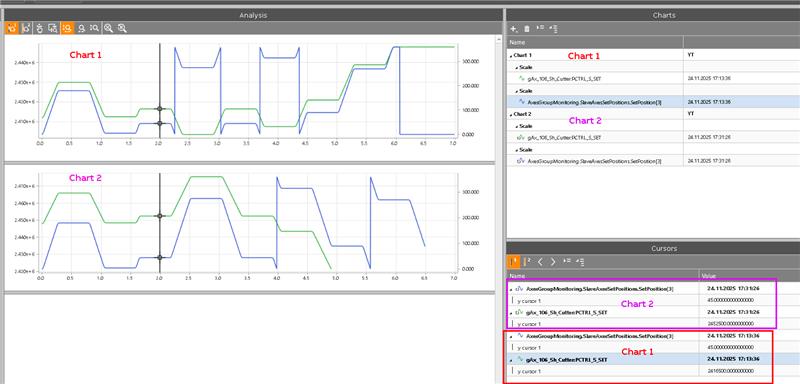
In the example above I have selected 2 signals for Chart1 (old trace, samples at 17:13) first and then other 2 signals for the Chart2 (new trace, samples at 17:31), but as you see in the section of Cursors, my signals have different order so I see on the top the cursor values for new trace and on the bottom the cursor values for the old trace. Do you know the way to change the order of that cursors data to make more easy the analysis of samples?
Thanks
Ciao
Valerio

