Hi @Mahesh_Konar ,
in our Community there are so many posts around OPC UA, Have you seen them?
Normally when I have issue with OPC UA, I try to connect, as first step, our B&R system with OPC UA client UaExpert
Can you do that?
Thanks
Ciao
Valerio
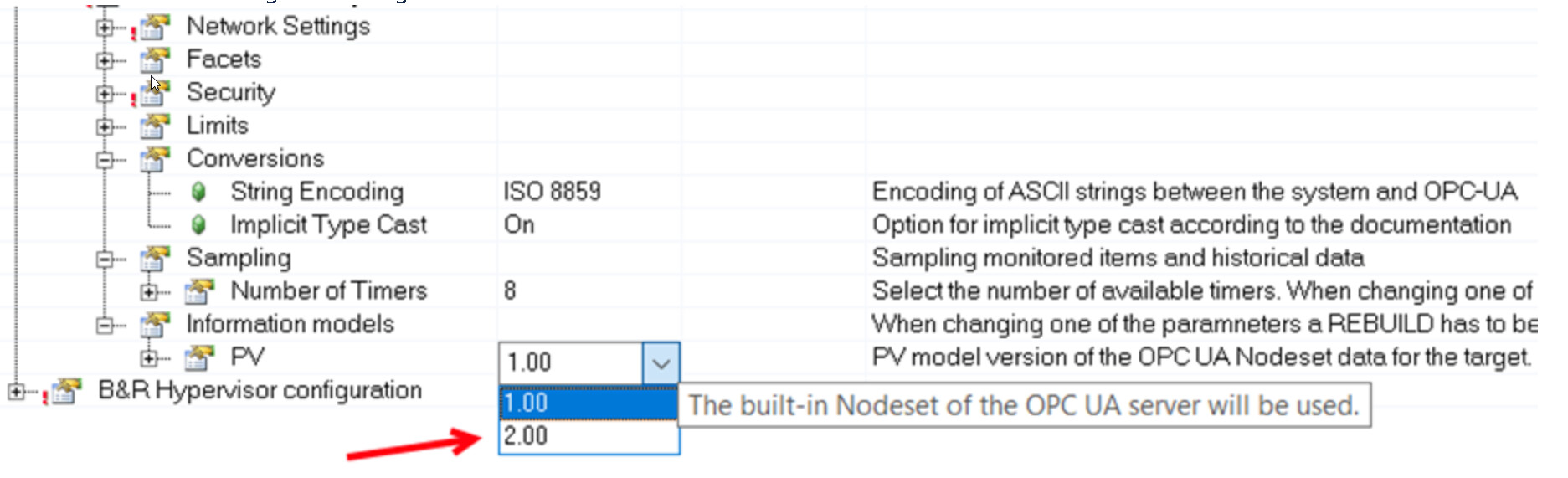
AS v6 Supports only Information Model v2.0 (there is no selection available).
In the Help there are additional details about PV model versions
Last note regarding NamespaceURLs, below you see the NamespaceURL in case in AS 4.12 you select Information model 1 and the Namespace in AS 6 where you have only Information model 2:
Hi @Mahesh_Konar ,
Why do you need AS 6? Do you have some hw not supported by AS 4.12? or just because AS 6 is cool?
In the office we are still developing new prj with AS 4.12.
Thanks
Ciao
Valerio
AS 6.5 is perfectly fine. I’m using it every day. If you have a new project and you’re not using something really special, you should be able to develop your project using AS6 as well. There is a change between AS4 and AS6. In AS6, there is an OPCUA C/S component. But this should not affect the possibility to connect to an OPCUA server using any OPCUA client. AS Valerio already suggested to you:
Check in the logger that the OPCUA server has started.
Use UAExpert client for connection.
If you have this, then you can be sure that the problem is not on the PLC side and can move to the HMI. In the HMI, check the namespace, hoping that you are not using an index of the namespace because this can be different, and check the nodeID path (compare to what UAExpert returns to you). That is it.


 .
.