PLC module stuck in "BOOT mode: Service" - unexpected reboot and connection issues

Hello,

I’m reaching out regarding an issue with one of our B&R modular PLCs “4PPC70.0573-20C001”. During normal machine operation, the PLC suddenly rebooted by itself and got stuck in BOOT mode: Service, even though nobody intentionally activated this mode.

I’m quite new to B&R PLC systems, but after reading various forums, I tried to connect to the PLC using Automation Studio 6 and 4.2 to check the logs via the Logger and find out why the machine can’t fully boot. Currently, the machine starts loading, briefly reaches the main menu for a second, then reboots again and ends up stuck in BOOT mode: Service.

I managed to connect to the module over Ethernet, changed the Subnet Mask in Windows Ethernet settings and the module was detected. I then connected to it and tried to use “Open Project from Target”, but I received the following error:

*No valid Automation Studio project file!
*
After that, I tried creating a new project and running hardware identification, but I got:

No hardware information found

This happens while the PLC is in BOOT mode: Service

If I switch it to BOOT Mode: Diagnosis, the module shows up differently (IP and Subnet Mask become 0.0.0.0). I manually changed the IP and Subnet Mask in Automation Studio so I could connect - that part worked fine. However, when I repeated the steps (Open Project from Target), I got the same “No valid project file” error. When I tried hardware identification again, I received:

Hardware upload finnished with errors
Error 4808: No connection available to the PLC.


At this point, I’m not sure what the next step should be. Do you have any recommendations on how to properly connect to the PLC or recoved it from this BOOT mode: Service state? Is there any way to view logs or diagnose what caused the intial reboot, or does this indicate a hardware failure? And also Automation studio detects the boot mode when is it in service or diagnosis mode.

Thank you very much in advance for your help.

Best regards,
Konstantin Bobrovs

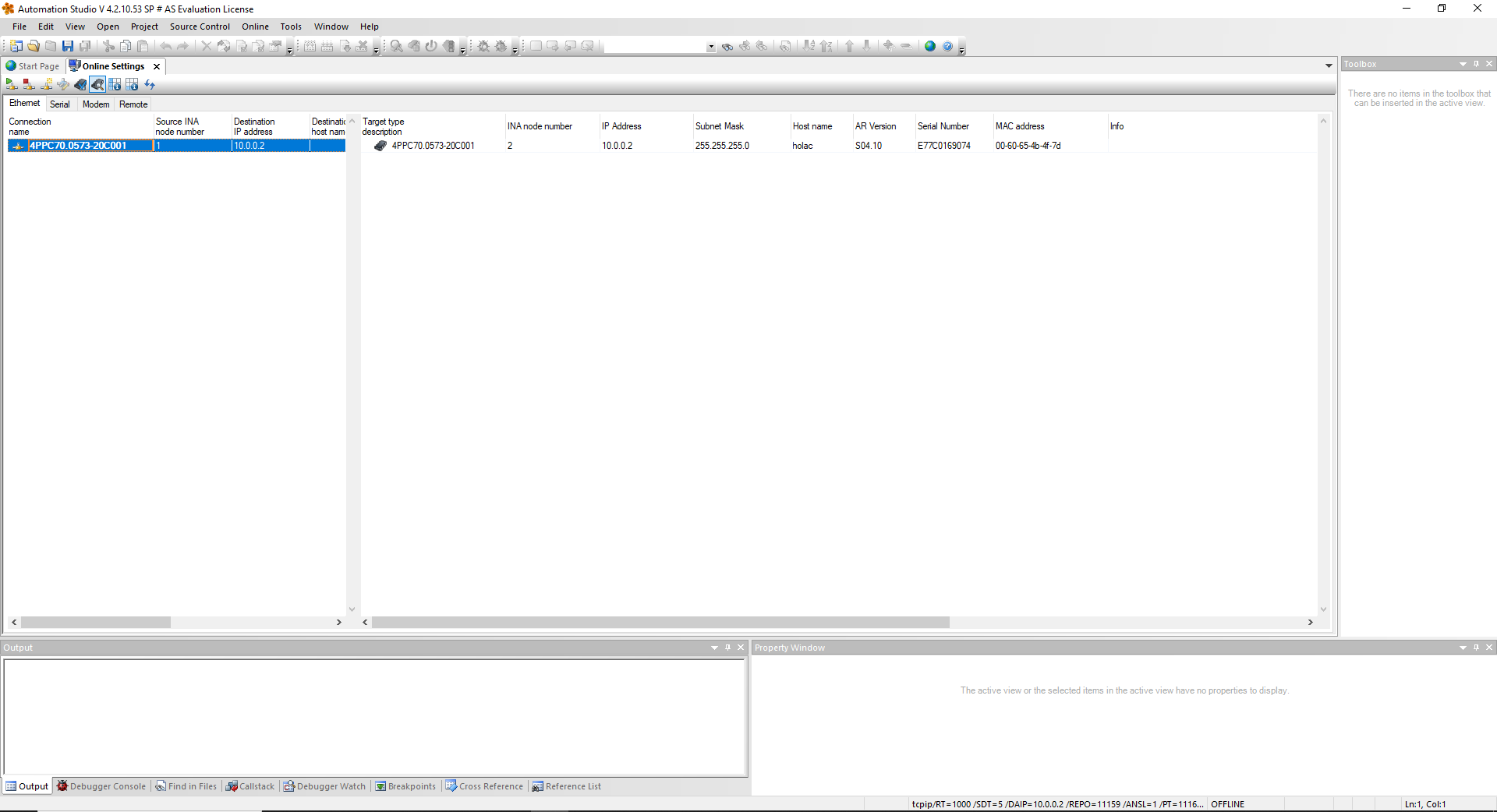
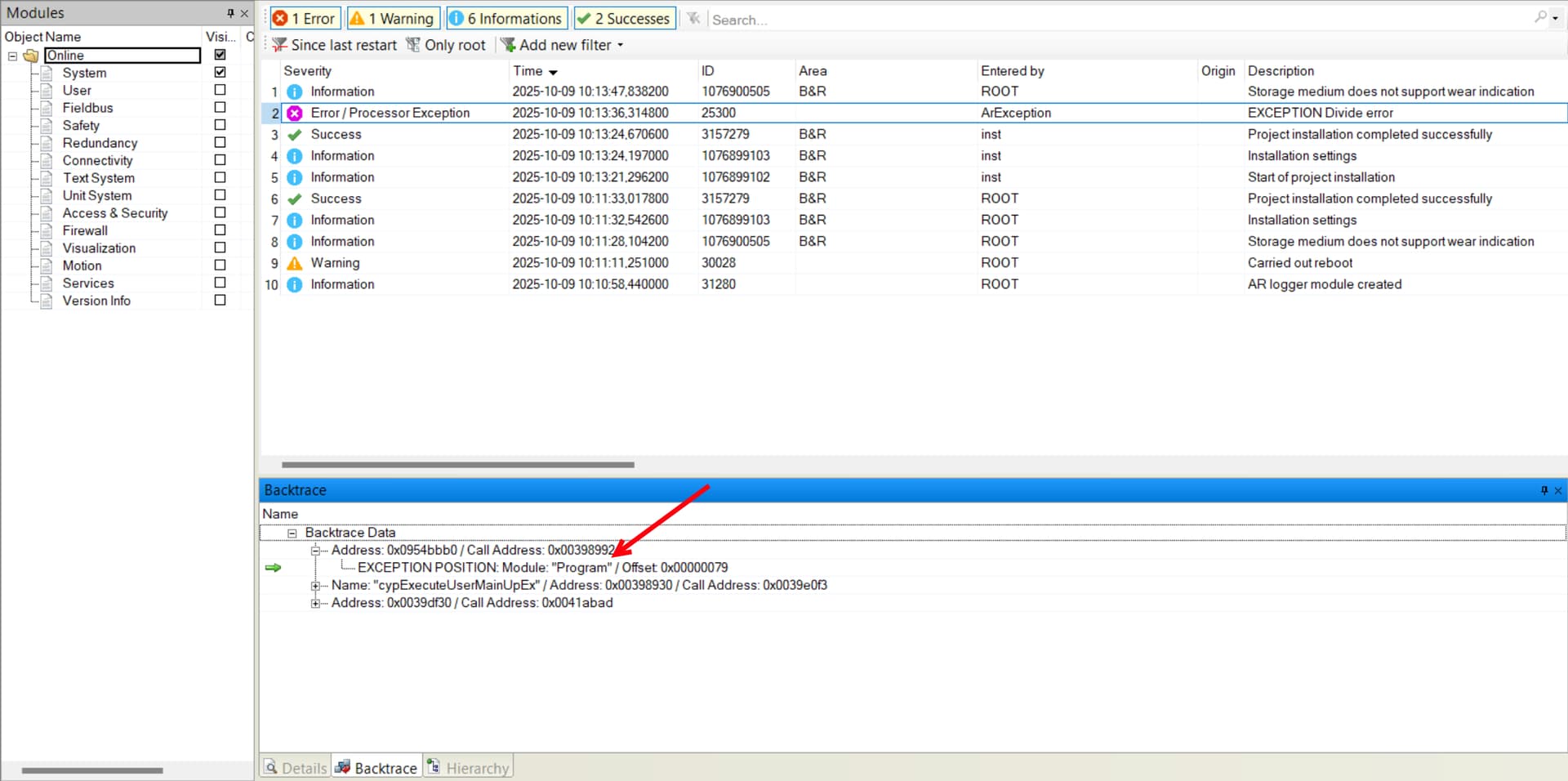
In most cases, you will not find the project on the PLC. When you are connected to PLC with Automation Studio, try to read PLC logger. Make sure to check all boxes and see if there are any errors or warnings.

image

image659×660 137 KB

image

image1920×956 164 KB

I understand that before going in to Logger I need open the project? Cause Logger function like almost others functions are unavailable.
Now Im connect via Enthernet to the PLC. What’s the next step?

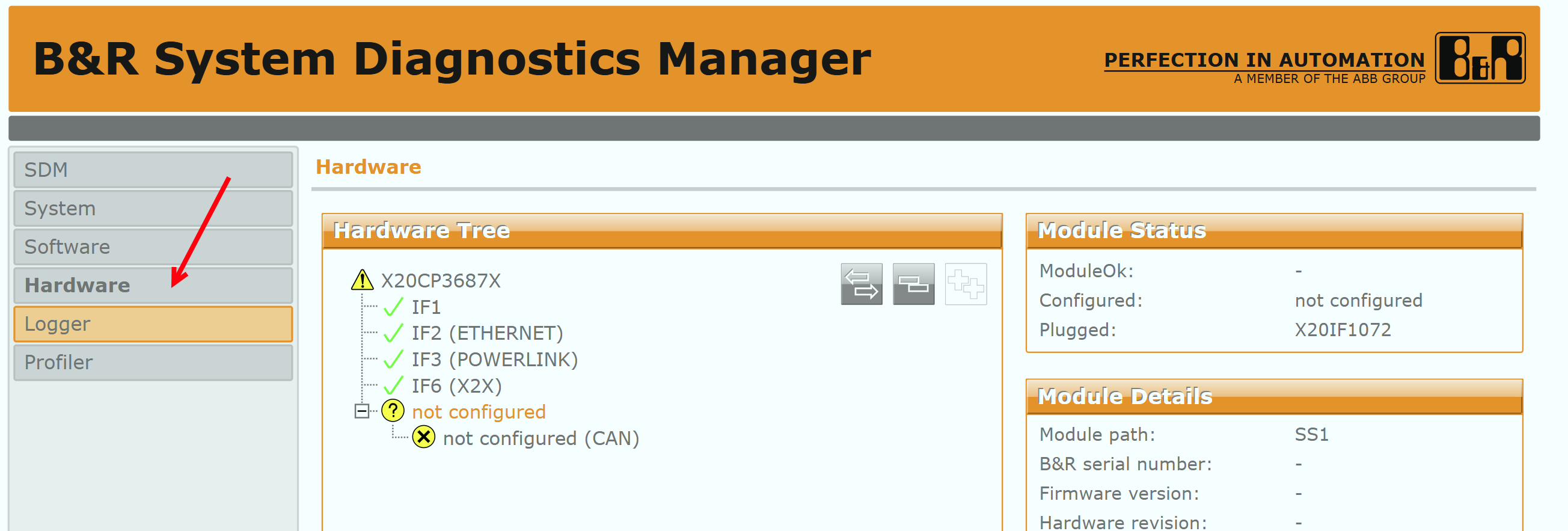
Also I just tried connect to the SDM via browser and it was succesfull. There the image.

You can just create a project with the PLC and then go online. Just make sure that you don’t download the project. In the previous post you are not connected to the PLC. The bottom right still says offline. Try right click on the connection and then choose “connect”. But the SDM is good enough, too.

You can see that the PLC goes into error state because you have a divide error. Most cases this is division with 0. The PLC logger might give you more details. I guess you did not change the software so something else must have changed. Do you know if the PLC uses config files that might be missing? Can you go to Hardware in the SDM Manager and check if a module is missing or faulty?

Do you meaning this one?

Yes, so you can see that the task “takt” triggers a division error. Unfortunately, you would need the source code from the machine builder to look at the code. Since the machine ran before fine the question is what has changed. There are a few possibilities like a missing configuration so that the value now is zero, but without the source code this is just guessing. Can you check the Hardware in the SDM if there is a hardware issue.

There the screenshot.

That looks good. Did you change any parameters before this issue happened? Can you get in contact with machine builder?

Stephan

I believe that I can contact with machine builder “ Holac “ because they was coded this project.
I only changed value of the blade speed in the main menu, but like inside in code or with Automation studio no, because i dont even have knowledge to do that :joy:

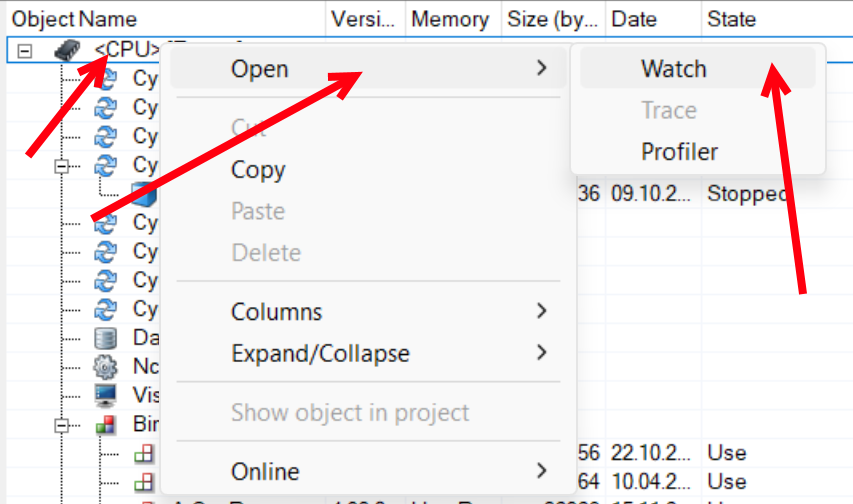
Ok that is a good hint, if the issue appeared after you changed the blade speed then this might affect something else that now causes a division by zero. Here is what you could try. When you are online in Automation Studio. Go to this setting

This will open a side by side view where you can see all tasks. Right click on the PLC and open the watch. This will give you access to all global variables.

In the next window add a variable and see if you can spot the variable that you changed.

If you dont see the variable there, you can check if you see the task “takt” and do the same thing.

You can also ask the machine builder for the variable name and if changing this variable to the value you used would cause a division by zero. Be careful what you change in the watch windows because it could impact the machine unpredictably and may even cause damage.

Stephan

Worked! I didnt found blade speed variable because all variables are in deutch, but found like recipe variable and switched it to another and then done warm restart, and machine launched like before. Ales gut, you helped me a lot. But I will still ask the machine builder the whole project/source code, cause this is 100% code hole if you change normal blade speed and it goes to zero this thing.

But Im very happy that is started to work.
Thank you a lot.:handshake:

I am glad that it worked out. It is always good to have the source code to be able to debug something like this.

Stephan

1 Like