Ok that is a good hint, if the issue appeared after you changed the blade speed then this might affect something else that now causes a division by zero. Here is what you could try. When you are online in Automation Studio. Go to this setting

This will open a side by side view where you can see all tasks. Right click on the PLC and open the watch. This will give you access to all global variables.
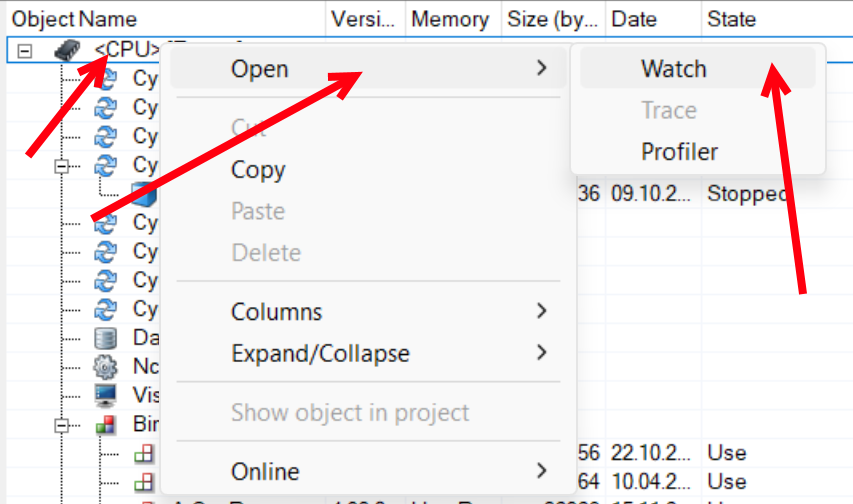
In the next window add a variable and see if you can spot the variable that you changed.

If you dont see the variable there, you can check if you see the task “takt” and do the same thing.
You can also ask the machine builder for the variable name and if changing this variable to the value you used would cause a division by zero. Be careful what you change in the watch windows because it could impact the machine unpredictably and may even cause damage.
Stephan