Hi, I have a problem with a machine that runs on a 3CP360.60-1 (Automation Runtime A03.01) it is CNC machine with 10 ACOPOS (1090, 1045, 1640). The machine has many problems but I’m not familiar with the 3CP360 PLC, so my question is if there is a way to connect to that PLC and get a logger or if there is a SDM equivalent.
I have tried with Automation Studio 4.12, 4.2 and 3.0.9 but I couldn’t connect to the PLC AS sees it I can see the IP address but sometimes I get an error Ethernet node with source address 1 exists more than once. Please check your online configuration. and when I don’t get the error AS just doesn’t the RUN/SERV etc text.
Don’t know if this is relevant but the PLC has a gateway IP 255.255.255.255
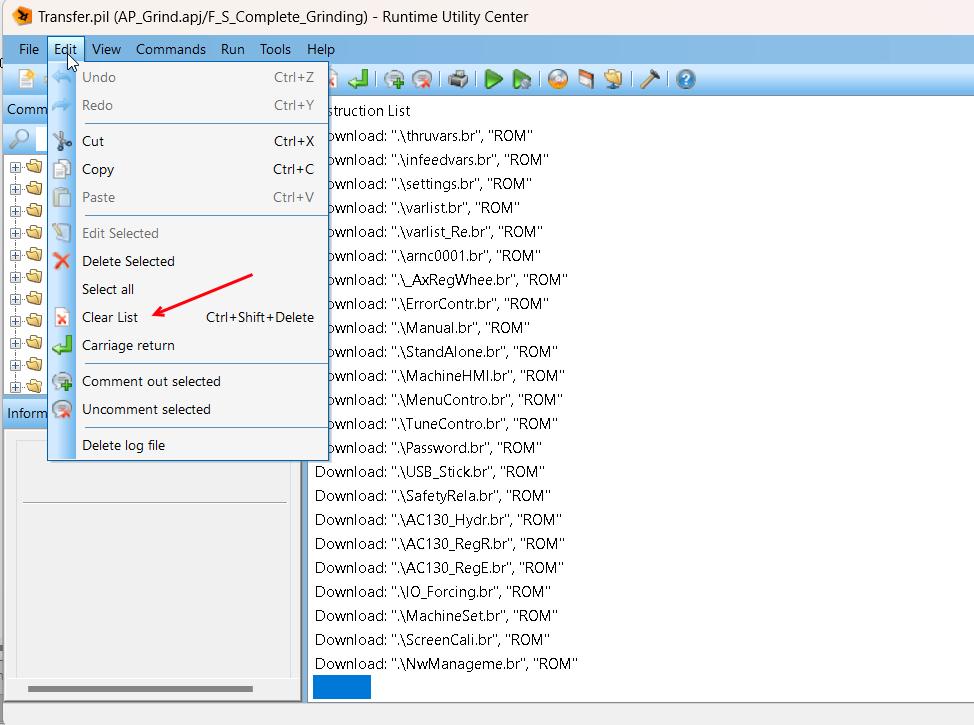
Edit: Sorry I didn’t clarify this in the original post, I’ve tried Serial communication with RUC and the this script
Great you are connected! You have everything just upload the logger and attach to this post.
Status LED, the third one > Error > on > your system is in service…not good…Why? We need logger
I think your prj was made with AS 2.x and I don’t have installed that in my laptop, but with AS 4.2 follow the link: Open > Logger:
It seems like I’m connected (the plc shows with bold font) but when I try to get the logger it doesn’t do it, also AS doesn’t shot the PLC status Run, Serv, Boot etc. so my question is if AS 4.2 should be compatible with this PLC or I need to download a different version? AS 2 as you said ?
not really you show me a list of PLC in your network, and fortunately we see your machine with Ethernet connection.
You have to select that line, right click and select connect:
I’m a bit worried, you write about a serial connection and also about a ethernet connection.
Is the serial connection working with the script you mentioned?
If the line is in bold letters it only means, that this connection is the active one AS is trying to use, but not that a connection is established.
But there is a tab for serial connection:
Hi @Jose_Veliz ,
sorry but in my first answer I should tell you immediately for troubleshooting (for the connection with you PC) you have 2 interfaces available Serial and Ethernet:
Around 20 year ago not all our CPU supported Ethernet interface so when I saw the serial one I thought “ok let’s connect to that and upload the system logger“, but as Martin asked
we need to clarify which interface you have using to connect to your CP360.
If it’s possible I prefer Ethernet connection to avoid any possible issue on serial cable, if you need to make one.
To be honest I did try the script but the script gave me the Unable to detect serial connection message and I didn’t try the serial communication with Automation Studio, maybe I should try that and use a different cable. I will try that and will try what @alexander.hefner posted about the INA address
@Jose_Veliz please let’s focus on Ethernet connection and tell me if you can ping your CP360, if yes try with runtime utility center to upload the system logger.
Last note regarding serial communication (again we want to use Ethernet in our case): I see a little more details in the old
TM, I think we have removed them because now we don’t use anymore (or just in few cases) that interface for the connection with AS: