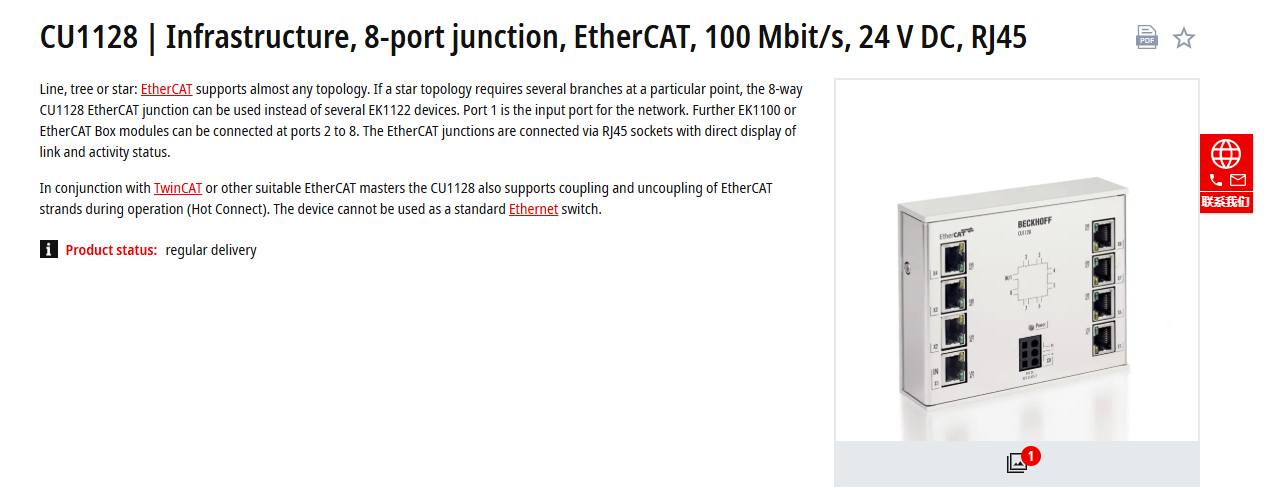
Hello EveryOne,
Has anyone used Beckhoff’s 8-port junction module?
Has any manual about it?
We can establish a connection when communicating with the servo via the X20IF10G1-1 module. However, the connection fails when going through this device.
Hi @dingh, it looks like there is no one in BRCommunity who has experience with this hardware. Can you share with us whether you investigated the cause of your issue?
Hello,
I personally never used such a device but I think you must enter this via an ESI file.
Ethercat is basically a daisy chain bus and this device splits it up to a tree or star (or whatever) - therefor simply placing the device in line between master and slave should not work.
Have you entered the device via the ESI file which should be available ? If not please try this
Hello,
I also tried creating a project connecting a X20IF1G1 to CU1128 in AS6.2 and in AS4.12.
In both projects, I only get 2 connection in the DTM module shown in the hardware overview.
I off course loaded the ESI file into the project to have the Beckhoff modules added.
But the graphics overview only shows two ethernet ports on the CU1128 imported device.
How can you make use of the (max) 8 ethercat connections the junction has?
Hello everyone,
This issue has been resolved.
I noticed that @kovarj mentioned that many community members are experiencing the same problem, so I’d like to share the solution.
The CU1128 is an ETHERCAT junction module. To enable proper communication, you need to follow these steps in Automation Studio (AS):
thanks for sharing