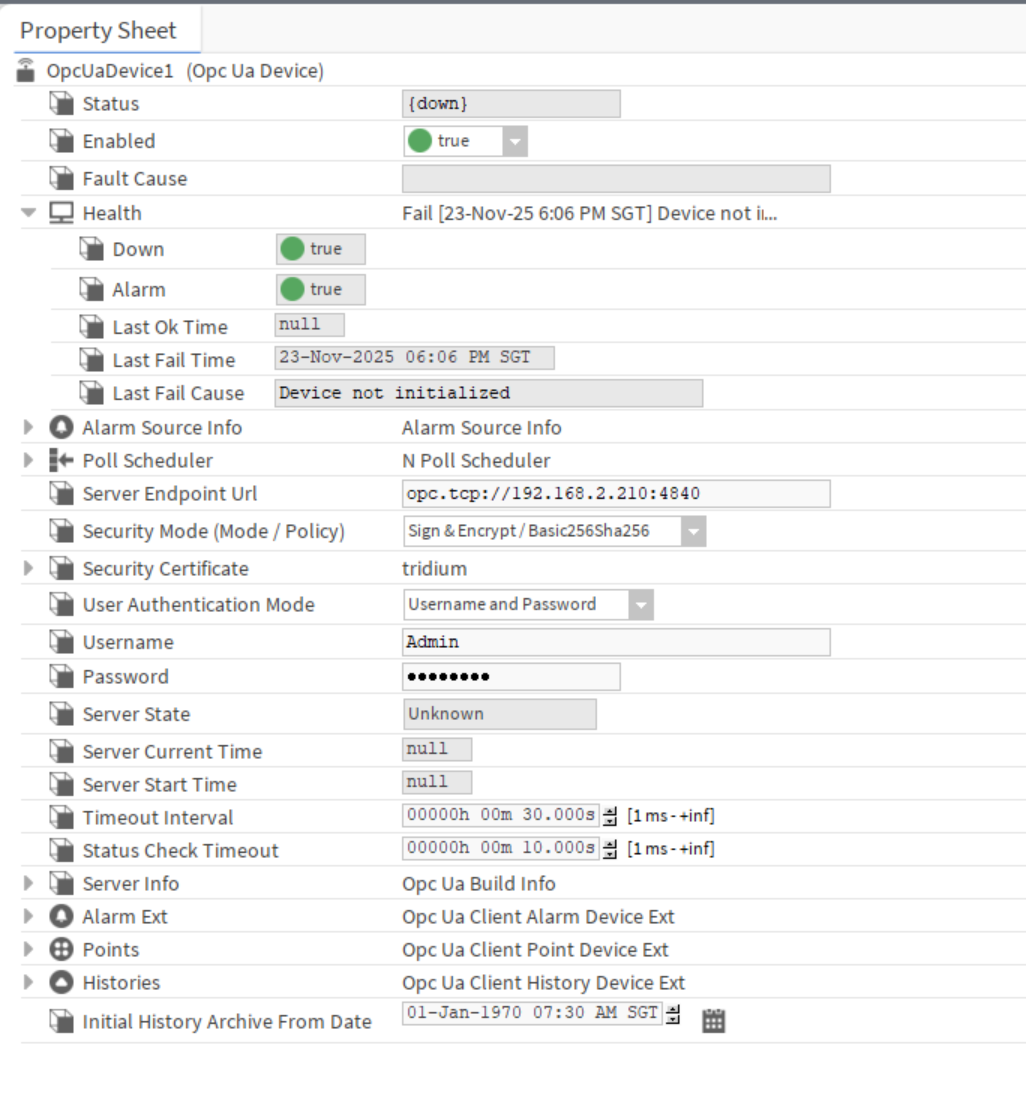
I’m new to B&R and currently setting up a redundant system using X20CP3684 controllers. I’m facing two issues:
Modbus_TCP_Any: It only works on either the primary or the secondary controller — never both at the same time. When one is OK, the other reports an error.
OPC UA Server: I want to provide data points to another monitoring system (Tridium Niagara) using the cluster IP, but it only works when I enter the primary IP. It doesn’t seem to respond through the cluster IP.
Could this be due to a configuration issue, or is there something I’m missing in the redundancy setup?
Any guidance or examples would be greatly appreciated.
Thank you for your help!
Were you able to resolve this issue? I am experiencing a very similar problem with a B&R redundant PLC system.
Niagara can successfully connect to the OPC UA server using the individual Primary and Secondary PLC IP addresses. However, when I use the Cluster IP address, the connection fails with the following error:
Failed to create session channel to server: opc.tcp://192.168.60.220:4840 [http://opcfoundation.org/UA/SecurityPolicy#None,None]
Could you please share what configuration or settings you changed to make OPC UA communication work through the Cluster IP?
B&R’s redundancy docs say the cluster IP is used by the active CPU, but OPC UA via cluster IP is not synchronized between the two rCPUs and may need the client to re-establish the connection after a switchover. If you need stable access to both sides, B&R recommends separate direct-IP connections to the primary and secondary PLCs instead of relying on the cluster IP for OPC UA failover.
If the cluster IP works for ping/SDM but not OPC UA, the network side is probably fine and the issue is client endpoint/session handling rather than a PLC redundancy configuration problem.
Thank you for the clarification. I carried out an additional redundancy switchover test and observed something important.
Niagara was connected to the OPC UA server using the direct address:
opc.tcp://192.168.60.221:4840
Initially, the CPU at .221 was the active Primary CPU. I then performed a redundancy switch in Automation Studio, after which the CPU at .222 became active and the CPU at .221 became standby.
During the switchover, the Niagara OPC UA device briefly reported a communication fault. However, after approximately five seconds, the same OPC UA connection to .221 automatically returned to a healthy state and continued communicating, even though .221 was now the standby CPU.
Therefore, the direct IP OPC UA connection appears to remain available regardless of whether that particular rCPU is active or standby.
The unresolved issue is specifically the Cluster IP:
Direct IP .221:4840 connects successfully and automatically recovers after a redundancy switchover.
Cluster IP .220:4840 cannot establish the initial OPC UA session at all.
The Cluster IP is reachable through ping, SDM and Automation Studio.
With SecurityPolicy None and either Anonymous or username/password authentication, Niagara reports:
Failed to create session channel to server: opc.tcp://192.168.60.220:4840 [SecurityPolicy#None,None]
Could you please confirm whether an initial OPC UA connection through the Cluster IP is expected to work?
I configured a hostname for the B&R cluster, in addition to the cluster IP.
On the Niagara server, I mapped that hostname to the cluster IP in the Windows.
In Niagara, I used the hostname in the OPC UA endpoint instead of entering the cluster IP directly.
For the initial setup, I used security mode as None with Anonymous authentication.
In Automation Studio, I assigned the Anonymous user to an everyone role and enabled the required OPC UA browse/read permissions for that role.
I also added the everyone role under the advanced OPC UA Anonymous Authorization settings.
After rebuilding and transferring the configuration to both redundant CPUs, Niagara connected successfully through the cluster hostname and the OPC UA points became available.