I now want to use 4PPC80_156B10B to display the mappview screen of the program in X20CP3586. I connected the Ethernet of both and configured it, but the screen shows that access is refused

Hello,
if I understand you correctly, you want to display the visualisation of your own PLC and not that of the c80 system. The ETHinternal is only intended for communication between the terminal and the built-in controller. This means that if you really want to display the visualisation of the X20CP, you would have to set up a network between the ETH(IF2) of the C80 and the ETH of the X20CP. Both require an IP address in the same network. Then you can configure the address of the X20CP for the terminal. If the visualisation is implemented on the C80, Ethinternal would be the right choice. I hope this helps.
Best regards, Alex
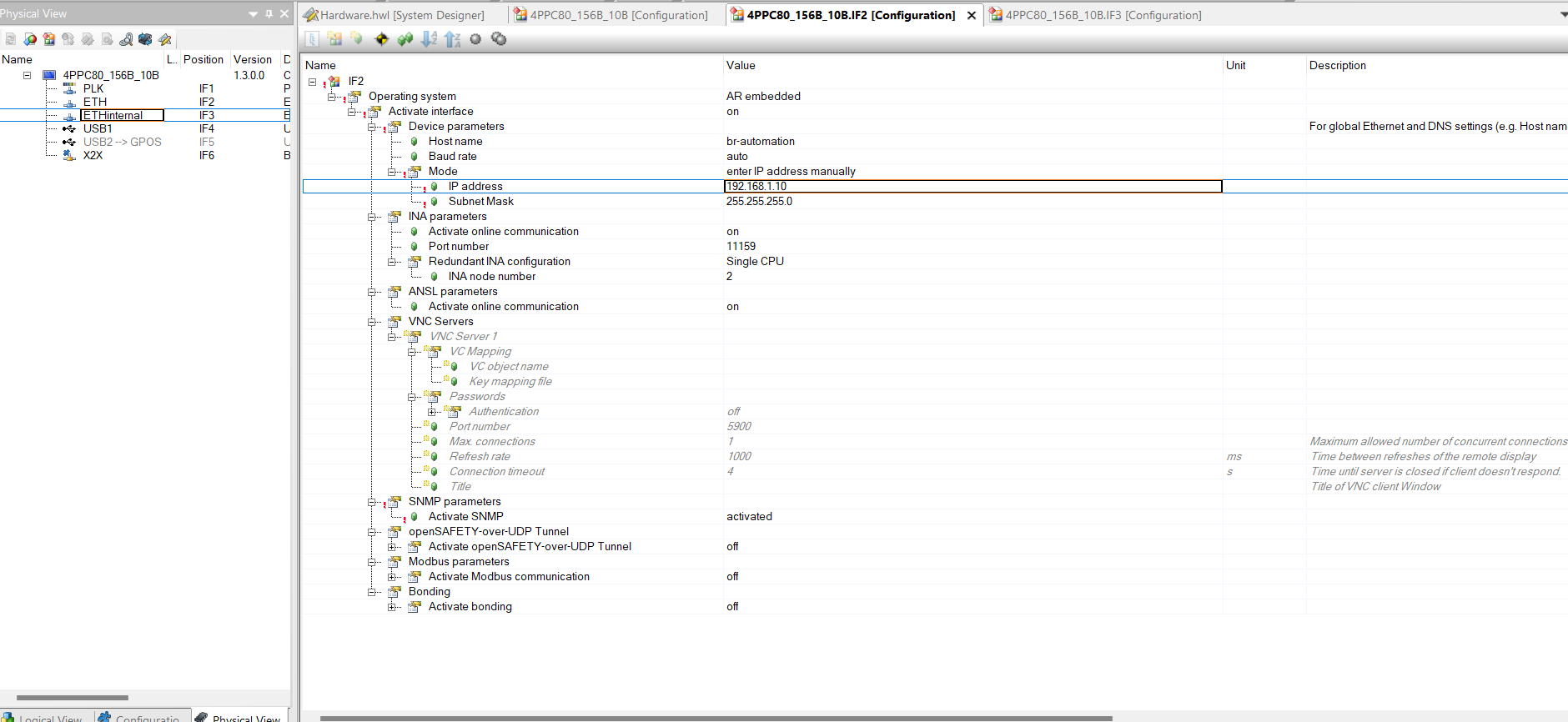
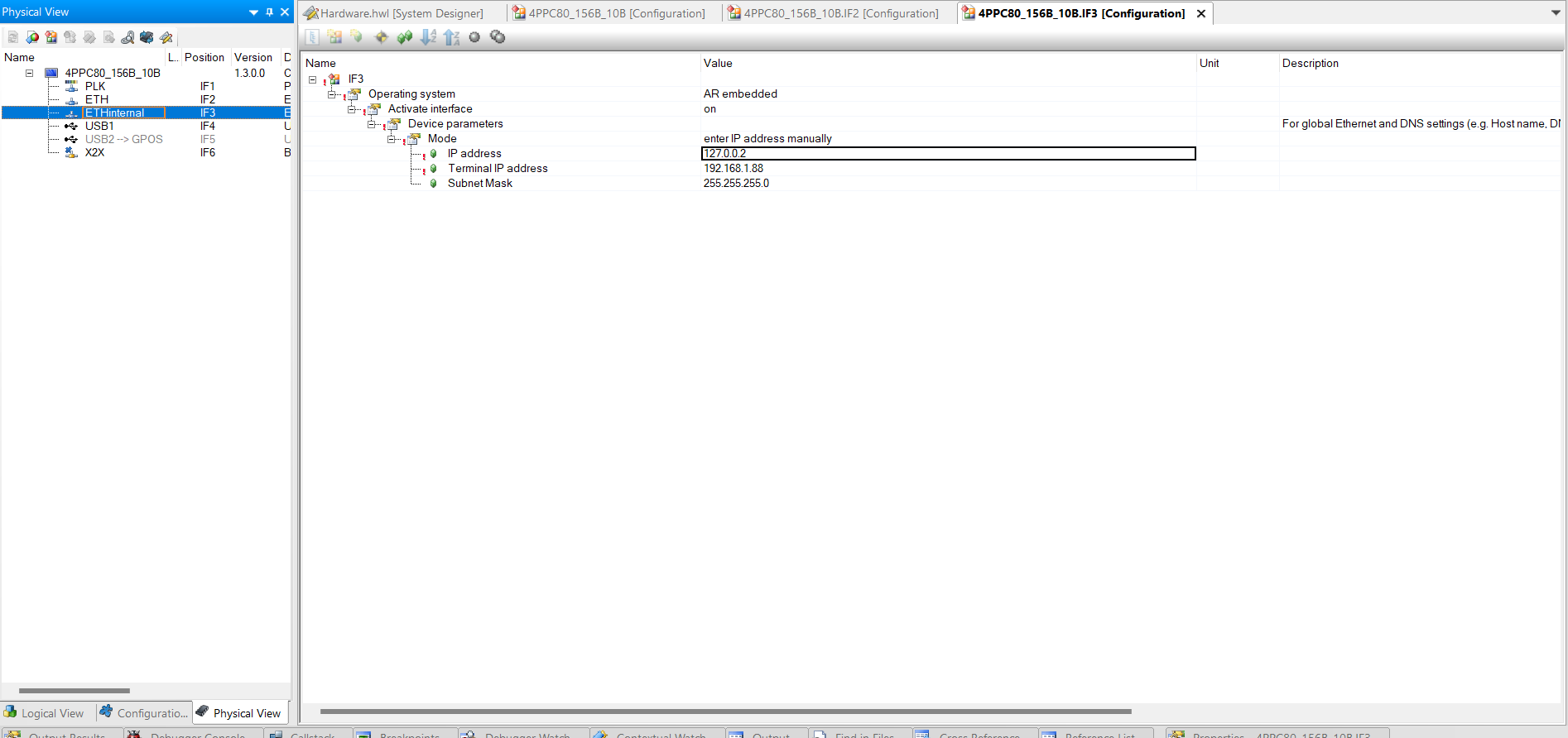

I’m just asking out of interest, but why are you using a C80(Controller) and not for example a T80(Terminal) for this task of displaying the visualisation of a PLC? But if it’s just for a test, it can also be set up as desired. Leave the internal ETH set to default. We don’t need it. That’s right, you can set the ETH interface of the C80 as you have already done. Set the ETH interface of the CPU in the same range, e.g. 192.168.1.88, correct, only the last digit must be different. The subnet mask fits with 255.255.255.0 for both devices. The URL of the C80 terminal depends on the visualisation settings.
e.g.
http://192.168.1.88:81/index.html?visuId=yourVisuName
See–>
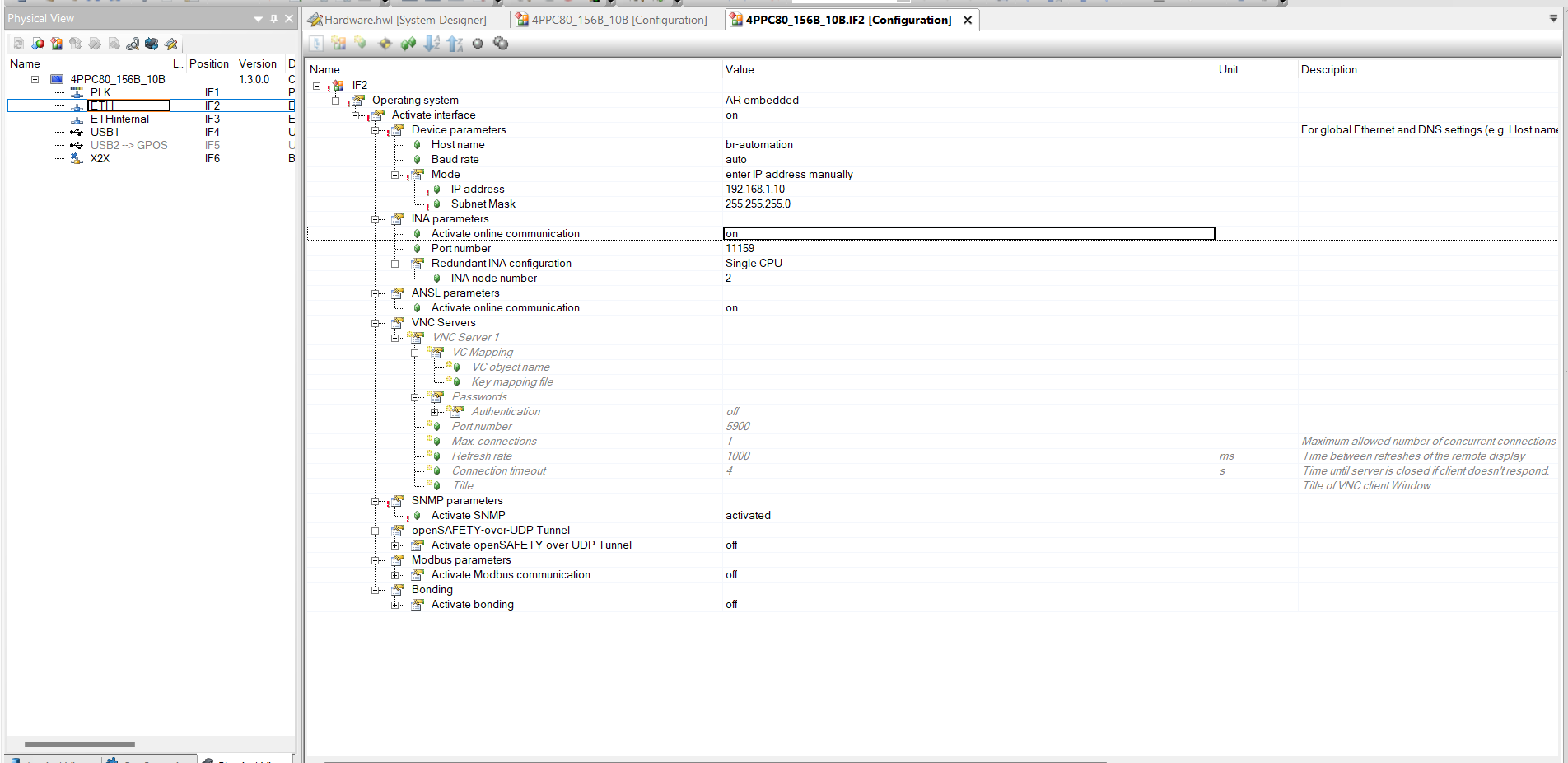
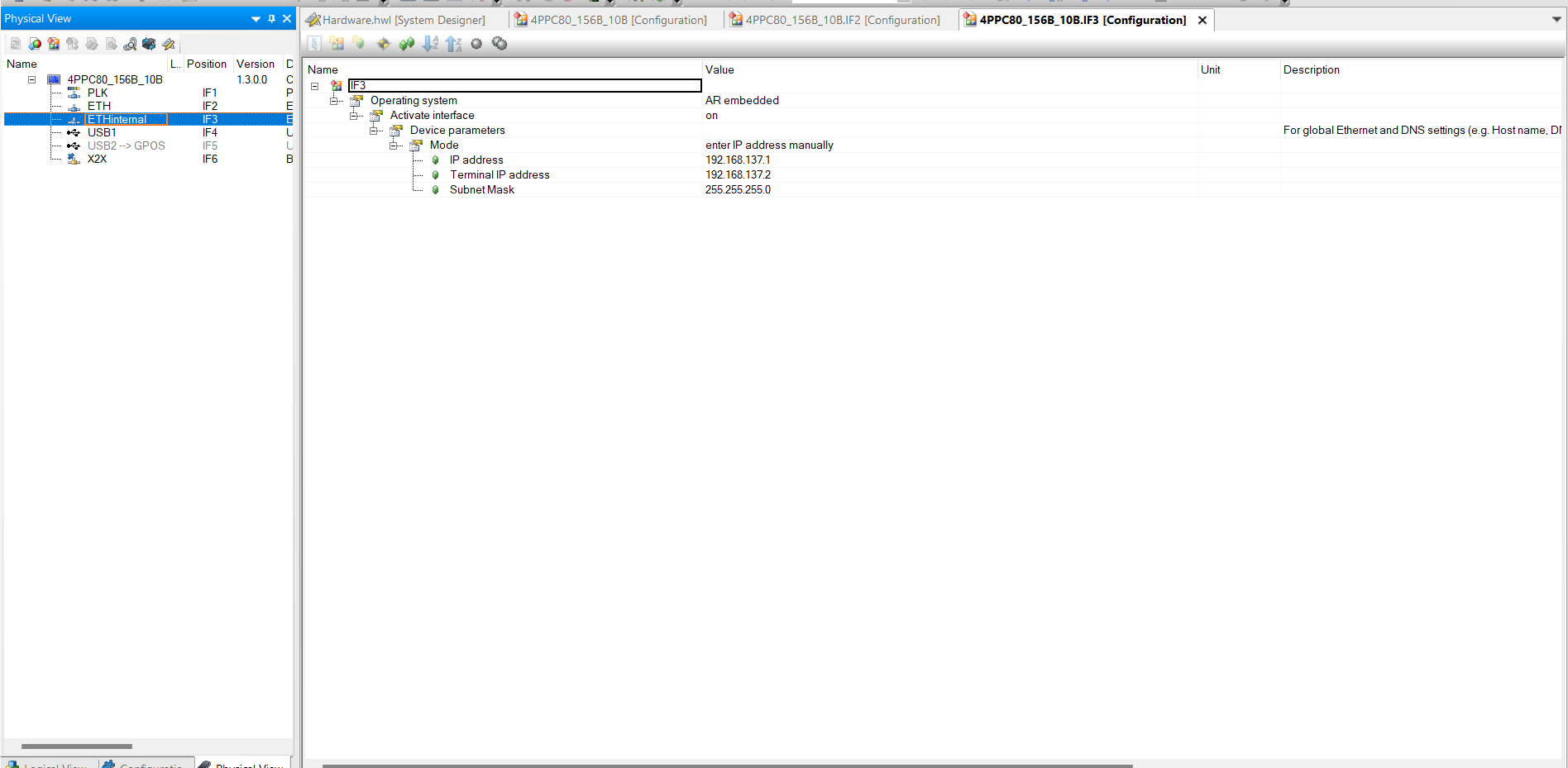
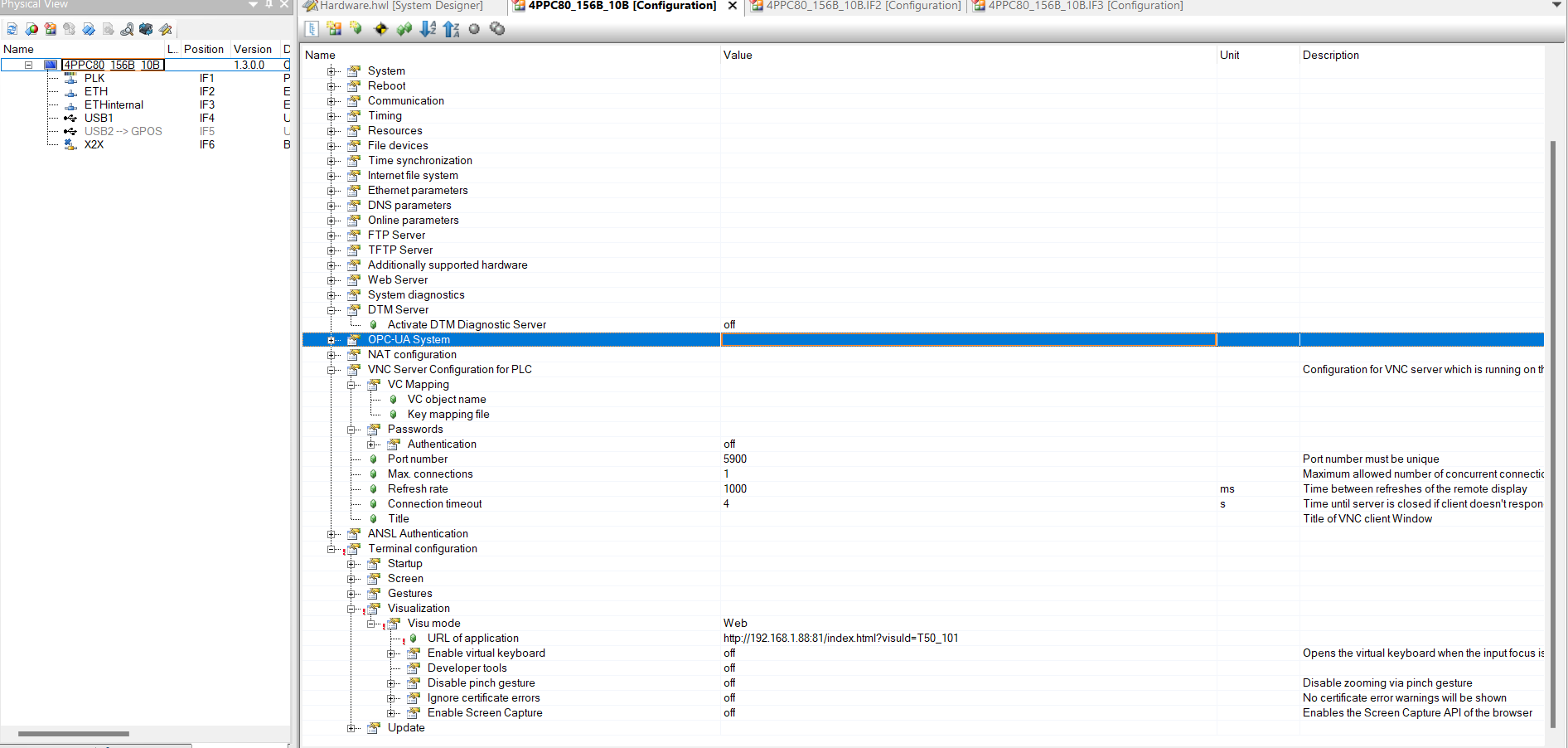


Have you attempted to display the visualisation in your browser (Edge or Chrome) on your Windows PC?
The PC’s IP address must also be correct, of course.
And check config –> B&R Online Help


Hi,
That’s a good start.
Unfortunately, there are still many possibilities.
Next, I would try to program a visualisation on the C80 itself and display it via ETHInternal.
I would also activate the option ‘Ignore server certificate errors’ in Terminal configuration ->Web.
And I think the issue of NAT configuration is your problem, see
NAT configuration
I hope that helps.
Best regards, Alex
Did you check the PLC logger if there is something that points to an error?
Stephan
Yeah, I have show the mappview on the C80 successfully. Thanks for your help!!
Hello Peiyang,
I’m delighted to hear that.
Would you mind briefly summarizing what the underlying issue ultimately was?
Thank you, and best regards,
Alex
Hi Alexander,
Yeah, I just follow your advise to enable the Source NAT, then it works!
Hi,
I am trying the same thing for a customer, but can’t seem to make this work.
Did you use the default NAT settings or did you change some settings their to make it work?
Kurt