I hope you’re keeping well. I am using Automation Studio 4.12.
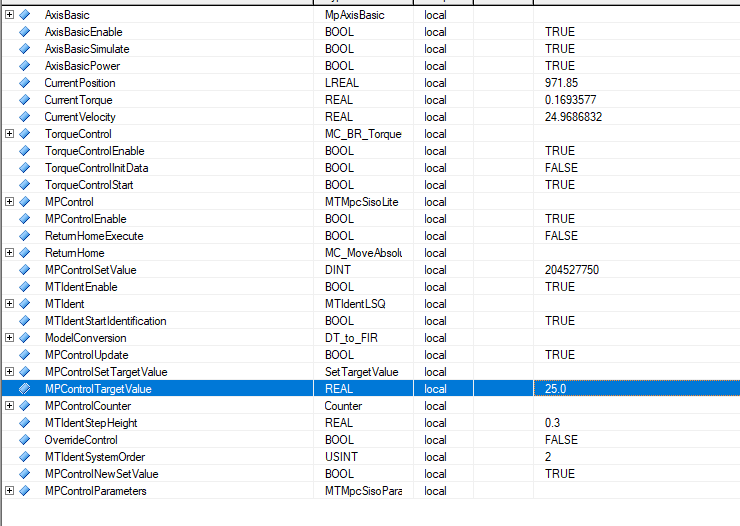
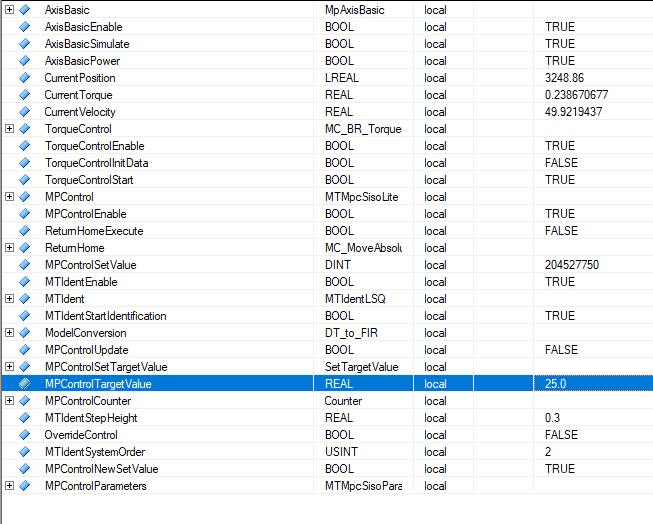
I am unable to reduce the value of the velocity of my system when using the model predictive control block MTMpcSisoLite. In the example above, I have shown that I can get to 25degrees/second, then I go to 50 degrees/second, but when I try to return back to 25 degrees / second, nothing happens. If I set a target of 75 degrees/second from that, it works. Can anyone see what I am missing? There are no errors in the logger.
Can you please provide a little more detail about the connection between MTMpcSisoLite and the axis? It looks like the axis is being controlled via MpAxisBasic. Are you passing the output of the MTMpcSisoLite block directly to MpAxisBasic, like this?
AxisParameters.Velocity := MTMpcSisoLite.Out;
You may need to set MpAxisBasic.Update true as this will update the motion parameters on a positive edge (meaning you also have to make sure to reset it after the update).
Another idea would be to use the MC_BR_MoveCyclicVelocity block. This function block feeds a velocity value to the drive every cycle that the drive will match. You could use this to tell the drive to exactly match the output of MTMpcSisoLite, but depending on how stable this output is this may or may not work for your application.
My cyclic program is as follows:
MpAxisBasic
MC_ReadActualPosition
MC_ReadActualVelocity
MTIdentLSQ
My own custom function that converts the discrete transfer function the the kind of model that the MPC block accepts, which is Finite Step Response
MTMpcSisoLite
TorqueControl
Back to MpAxisBasic
I am using the MC_ReadActualVelocity function and assigning that to a value called “CurrentVelocity”. I am then feeding that value into my MTMpcSisoLite Function. I assign the output of the MpcSisoLite function to a value called “CurrentTorque”, which I then feed into the MC_BR_TorqueControl.
The MTMpcSisoLite function block sets a setpoint differently to other function blocks I know of, in that it takes as a reference an array of 200values that “trace” out the path of the trajectory. The way that I have done it, just to keep it simple is:
FOR i := 0 TO 199 DO
TargetValueArray[i] := ((TargetValue - InitVelocity) * i)/200.0 + InitVelocity;
END_FOR
i.e a linear progression to my setpoint, e.g, if my targetValue was 199, then my setpoint trajectory would be 0, 1, 2, 3, 4 … 199.
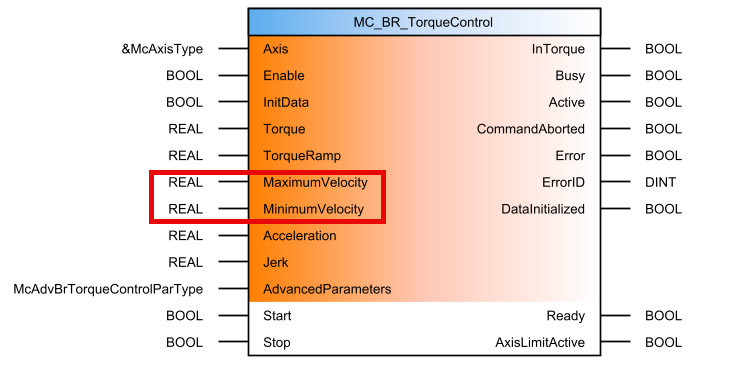
Thanks for the additional information. It sounds like you are controlling the axis with MC_BR_TorqueControl as opposed to initiating a MoveVelocity command from MpAxisBasic? In this case I think if you want to change the velocity, you have to use the inputs to the torque control block:
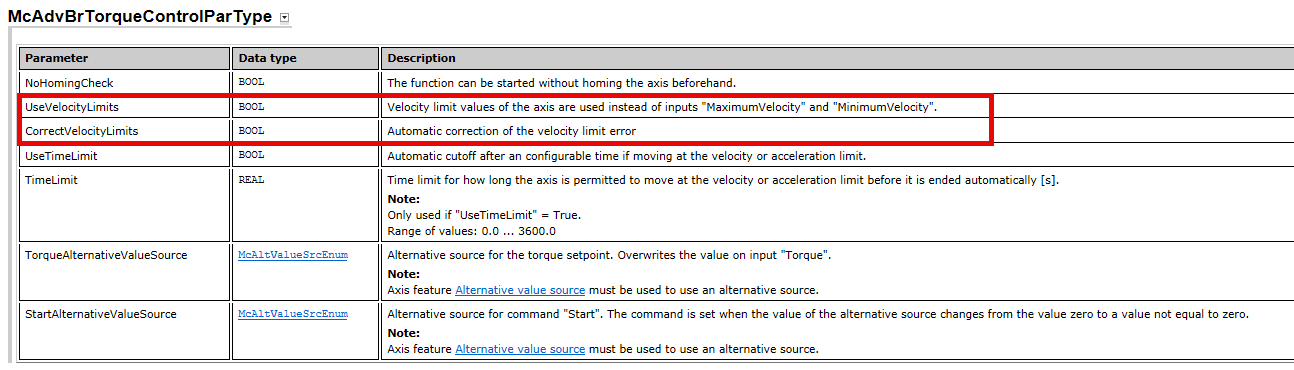
Also make sure that AdvancedParameters.UseVelocityLimits is false, and I think you’ll also want CorrectVelocityLimits set true. Otherwise, the axis settings will be used instead of the function block inputs.
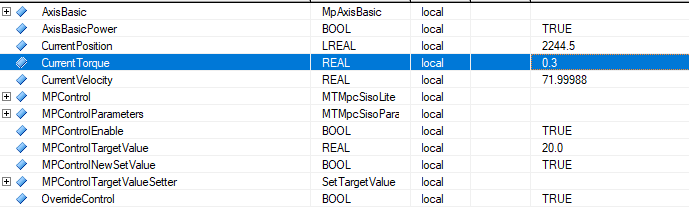
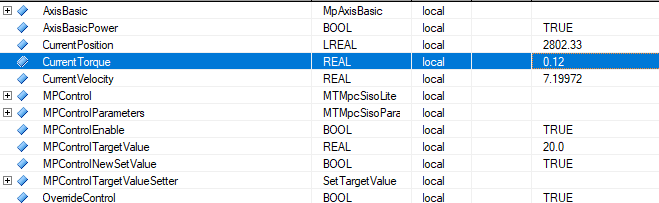
I have attached images of me overriding the control, such that only the axis basic, read position and velocity, and the torque control function blocks are active. As one can see, the values of the torque are able to be increased and decreased without issue.
I have a PID control program too which uses MTIdentLSQ and I am able to decrease the torque in that one (I am also using Axis basic, read position and velocity, Torque control), so I believe that narrows it down to the MPC function block (the model conversion function block doesn’t interact with the torque).
I’ve tried to put delta min negative, but I get an error when I do that.
Just on a side note, the reason that I am controlling the velocity through the torque block is because I don’t want to use the PID control loops on the drive itself - by using this torque control function block, it allows me to just have model predictive control running - no PID.
Sorry for the delay in replying; it’s been a busy week for me.
Initially I thought that you were having trouble connecting the output of MTMpcSisoLite to the axis. However, it sounds like you actually need help understanding how the output of MTMpcSisoLite gets generated, and how you can modify that output. I don’t know enough about this block to help you unfortunately. Maybe someone else on the Community can if they see this.
It sounds like you have some very specific criteria you’re trying to achieve with the motion system, so I also recommend you reach out to your local B&R team. I think it would help you to sit down with someone, show them your project, and discuss the best way to make this work the way you want it to.
The solution ended up being very simple - I had delta min set to zero, thinking that it meant it was the lowest change that the process allowed. In reality, it’s the greatest change in the negative direction that’s allowed, so I have it set to +0.1Nm at the moment (the largest negative change allowed is taken in as a positive number which is a bit unintuitive too).