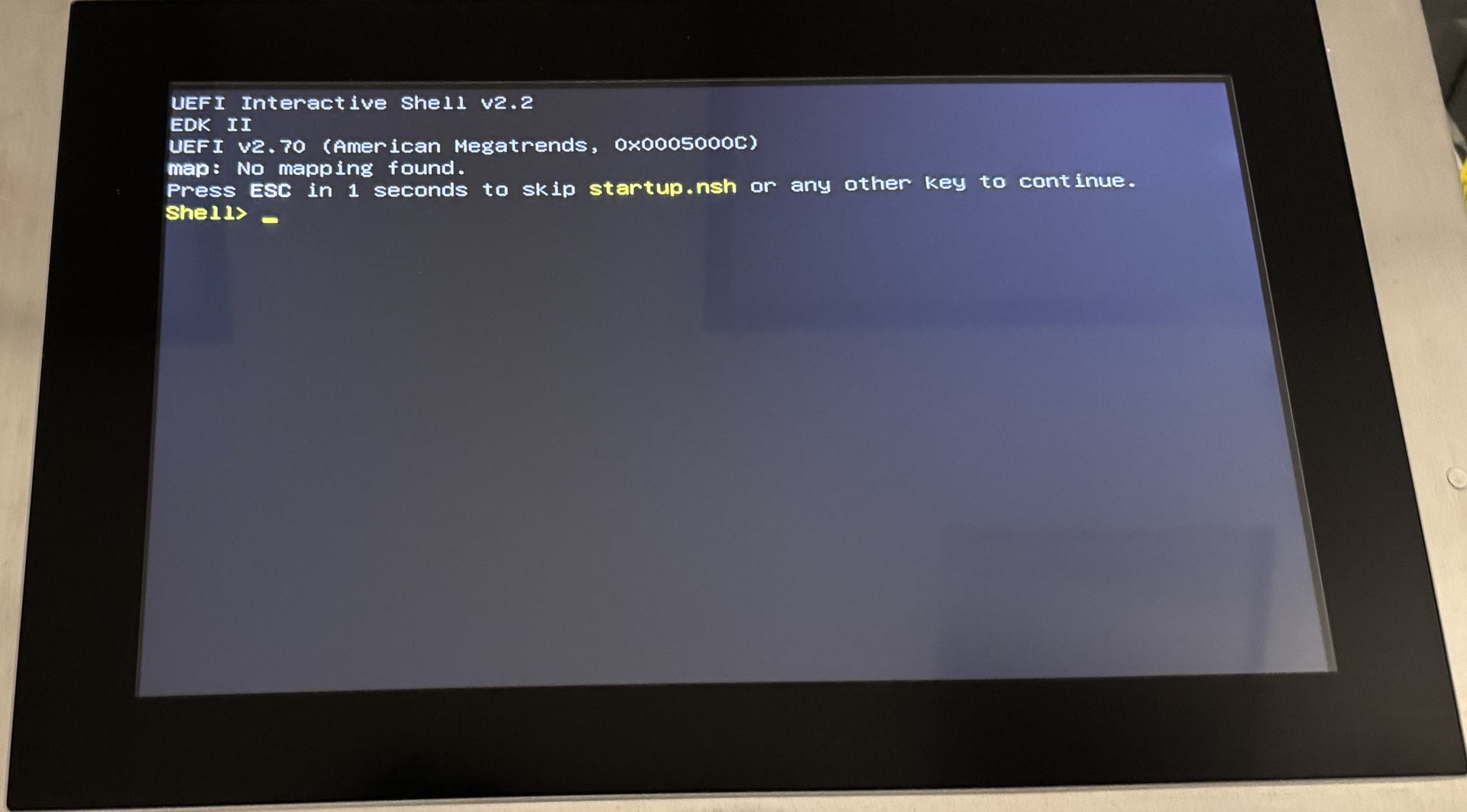
Hello I have a Panel PC900. Every once in a while when I turn on the panel I get this boot error. Has anyone gotten this before? What does this mean and how can it be fixed?
Thank You
Hello and welcome to the Community,
This means a bootable device was not found. The storage medium should be checked. If a CFast is used, check the following Community post.
Hello, thank you for your quick response! We are not using the CFast card in this Panel PC. The CFast slot is empty.
This error seems to happen about once a year or so in each of the machines that it uses. Is there anything else I can check?
Hello,
You should use a fitting SMART utility for the used storage device to check it.
You can also check if BIOS and MTCX updates are available on the B&R website.
Hello @Alexander_Yousefian what is the status or solution of your topic? Can you update us?
Problem very likely is caused by CFAST card. Solution is to investigate using SMART utility, as Pavel has mentioned. It would be great if you confirm it or update us with your findings.
Hello,
Sorry for the delayed response, but this issue has occurred again.
The external Cfast slot is empty. Does this mean that there could be one installed internally?
Can someone tell me where I can download the SMART utility. I do not know what this is.
if there is not CFAST installed, then you have to clarify how this panel is used. Do you have hard drive or do you boot OS and application from network,..?
I have an update. I was mistaken, there is a Cfast card installed. It was located in a different area than the external slot. I had to remove a metal panel on the Panel PC to access it.
How can I check it. What is SMART utility and where can I download/find it?
SMART Utility is an application to scan the hardware diagnostics system of hard drives. SMART (Self-Monitoring, Analysis, and Reporting Technology)
you can use any S.M.A.R.T utility. Do you have SwissBit CFAST card? If so, you can use e.g. this one.
SBLTM-Windows-32bit.zip (2.6 MB)
TBH, I’m out of ideas. Not sure if there is a BIOS delay configuration. So if no one else here in the Community will bring any new ideas, you will need to get in contact with your local B&R support office.
You could try resetting all BIOS settings to default via the setup menu accessible at boot. That may or may not fix the problem, but it would ensure that it’s not being caused by a weird setting.
Jaroslav, There is a “Early BIOS POST delay” which up until now has always been Disabled. I have changed it to three seconds to see if that will help.
Marcus, Until now, all of the BIOS setting were default.
I have been discussing this with B&R support.
That was the parameter I was looking for. If the problem is with card detection, this delay might help. Please update us with the results of your test; you mentioned that with a cold restart, it was easy to reproduce, right?
By a cold restart I mean by having the machine off for the night or a few days and powering it back up. I will continue testing and report back.
