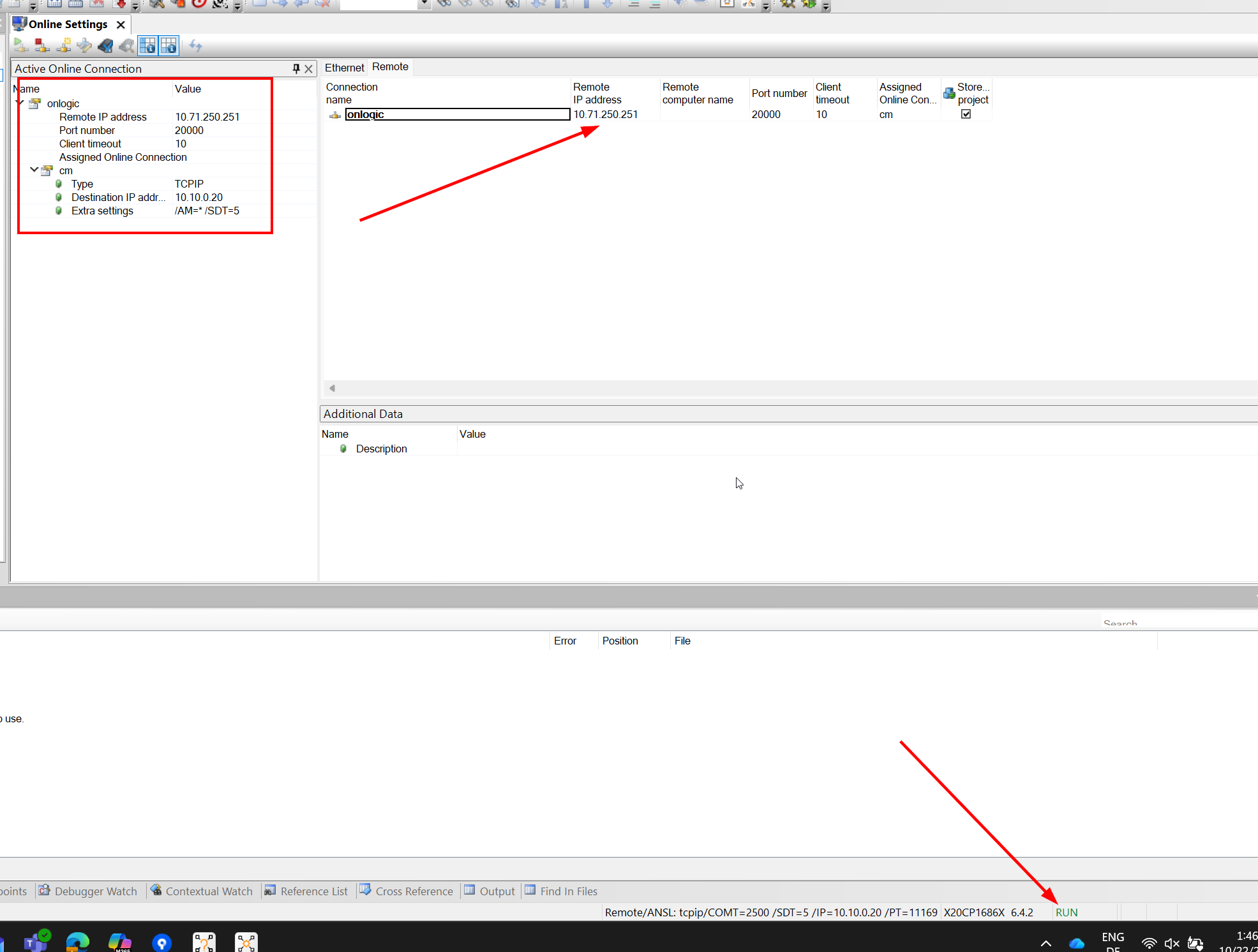
im using a AS remote connection to connect to a X20CP1686X through a Win10 PC. Im in Run in AS, but cant watch any Variables in SAFEDesigner. Is there any way to establisch such a connection? Using AS6.3.4.31(localy) and PVI6.0.2.50 (Win10-PC).
as I understood you’re using a Windows pc as remote endpoint, from where the online protocols have to be forwarded to the plc and the safe logic? And you’re able to access the plc via AutomationStudio, but not the safe logic via safe designer? Am I right?
If yes, can you please give us more details about how the remote connection looks like?
Of which type is the remote connection, is a vpn tunnel with routing pr port forwarding on the remote side, or is it pvi remote?
Correct! The Win10-PC is my remote endpoint running PVI on it. AS connection to the PLC is already working. Safedesigner to SPLC is not. No VPN tunnel/port forwarding is setup on the remote endpoint.
Unfortunately I can’t deliver a “full-featured solution”, but at least I think I understood the cause and can try to explain it.
SafeDesigner uses a different protocol (and tcp port) then Automation Studio / PVI.
Using PVI, only the PLC online protocol (ANSL) is handled, the safe designer protocol is not part of PVI.
The PLC itself acts as a “protocol proxy” for the SafeDesigner communication, but to do this, the PLC has to receive the safe designer data also on the different channel and port.
As with PVI, also when using Remote PVI only ANSL data is handled via the Remote PVI channel, but not safe designer communication - I think that’s the reason why it doesn’t work.
As I said, I haven’t a out-of-the-box solution, there’s no “safe designer remote” solution available from B&R.
But technically spoken, if there would be a second “port proxy/forwarder” on your Windows remote endpoint, that would be able to receive tcp data and forward it to the PLC (like Remote PVI does for ANSL), I could imagine that this could be at least worth a try.
In your specific use-case (no VPN tunnel), maybe a port forwarding would even be possible on the Windows remote endpoint side (via Windows Firewall or so - not sure about W10, in older version I can remember that a bi-directional port forwarding was at possible with Windows).
I hope this general information helps a bit,
best regards!
Thank you for your detailed explanation regarding this topic. I will try to play around with port-forwarding. Ill post the solution here if i find something. BR
Hi @Kenan_Dautovic , I have marked answer from Alex as a possible solution. Still curious if you can confirm that this was the solution for your topic?
I just wanted to shortly share the solution to this. I have create a port-forwarding script on the windows host.
X20PLC ip: 10.10.0.20
(Im using mappSafety → this requires to forward also 52000 in order to be able to operate the remote control dialog)
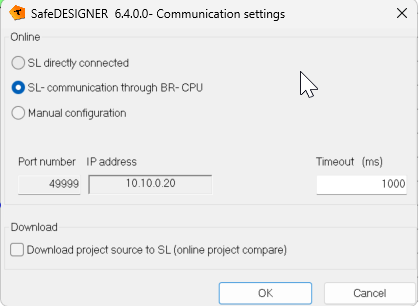
For some internal reason i had to put the SafeDesigner<>SPLC communication port on 49999. (Variable watch and legacy controller dialog operation possible)