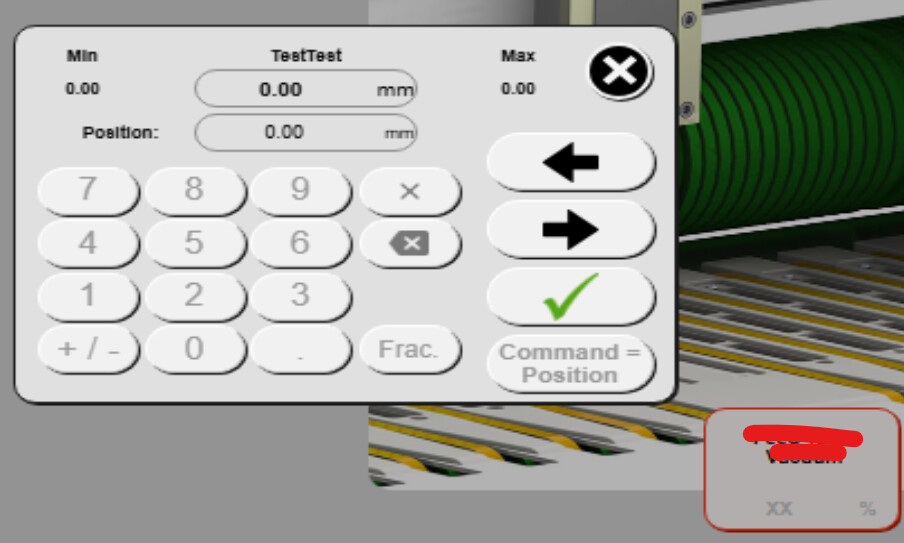
All the required upgradations are completed for AS4.12 to AS6. While simulation testing, In mapp view all type widgets are not displays properly. Eg. In Numeric pad its Shows XX, not able to enter values or not able close the numeric pad. Same type errors occurs for all widgets used in mapp view. Is AS4.12 mapp view working fine without any issues.
i would recommend checking the OPC UA and Access and Security Setting.
With AS 6 a lot of “unsecure” connection options are disabled by default. For example connection via the “Anonymous” User.
If the mapp View Client cant connect to the OPC UA server correctly the XX will show up in the outputs.
Also the Automation Studio Logger should show Entries regarding the issue in the Connectivity and Visualisation categories.
I have updated the Mapp view configuration to Force login & Create the new user with all roles assigned. but still i am not able to log in to access the mapp view.
I am facing the same issue (with numpad XX) in anonymous token and Fixed User.
anyother configuration parameters to be considered to resolve this!.
Thanks for your response. Still the issue was not resolved. I have upgraded the configuration as per suggestion mentoined above. I can still see the OPC UA not able to connect.
And I Can still see the values in the widget is XX only, numeric keypads are not getting popup.
Below attached the recent logger screenshot details after i updated the configuration.
@Thiygarajan_Boobalan I think at this point it would make sense to take a look at the project in more detail. You can send me a small project as PM if you like. Otherwise I would recommend to reach out to your local B&R support team and have them take a look at the project.
I tested this on my side and when I had nothing defined, I saw the “XX” for the NumericOuputs. After adding my role and setting “Read” to “Enabled”, I was able to see the NumericOutput widget values populate.
Furthermore, make sure that all the variables in the Default View that you are attempting to display are inheriting these permission settings (this should be set by default).
Thanks for your support @rafael.laury. These upgrdations are default setting in my configuration, but still issue was not resolved. I dont know where I was wrong and also it is a migrated backup from AS4.12 to AS6.
I am closely in contact with local B&R to reolve this issue. Once we able to figure it out the issue, I will update here.