Hi,
Im working with an APC910 (model: 5PC910.SX02-00) but the power light keeps blinking green/red. After searching in the help file i came to this conclusion

An update should be made but i dont know what or where.
Is there anyone who can help me solving this?
Thank in advance
Hi,
first you have to check which chipset is used in your APC910.
To identify that, you need to check the order code of the processor board, with APC910 it should start with 5PC900.xxxx-yy … the part order codes are normally on a sticker on the back of the APC (the model number you provided is the part order code of the bus part - unfortunately this does not identify the CPU part).
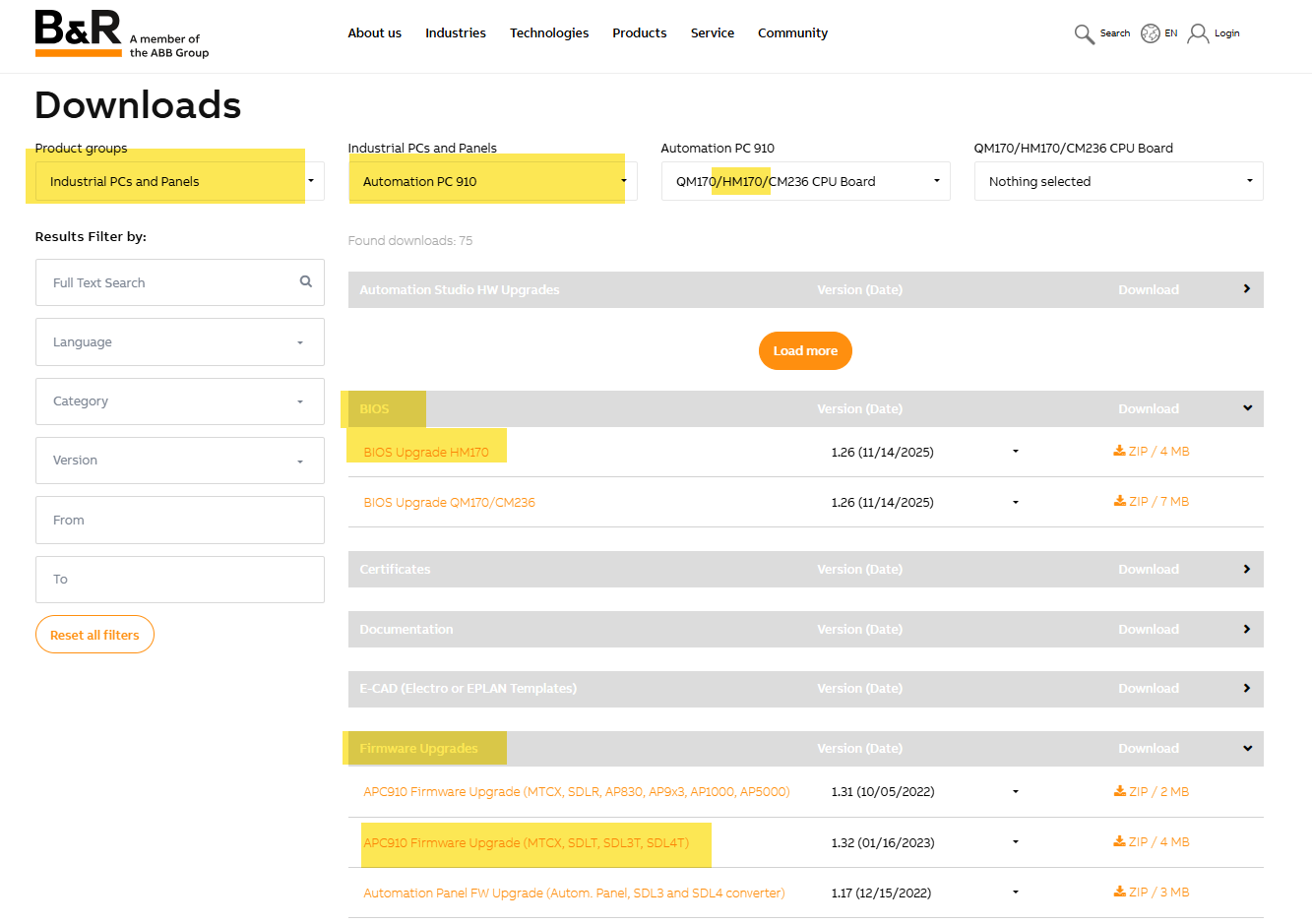
Second, after identifying the chipset, you can go to the download section of the B&R homepage and search for “Industrial PCs and Panels → Automation PC 910 → xxxx CPU Board” and check for “BIOS” and for “Firmware Upgrade”.
Last but not least, check the “Automation PC910 User’s Manual” for the update procedure (section “Software - Upgrade”).
Here’s the link to the user manual:
https://www.br-automation.com/en/downloads/industrial-pcs-and-panels/automation-pc-910/automation-pc-910-users-manual/
For the first 2 steps, let’s make an example:
- Let’s assume your CPU boards order code is 5PC900.TS17-01
- the search on the website leads to the information, that this board has a HM170 chipset
- in the download section, you’ll find the BIOS and Firmware updates
- and, as mentioned, in the manual you’ll find the update procedure
Hope that helps a bit,
best regards!