I’ve been trying to connect to a new X20CP1684. I changed the IP and subnet on my PC, and did the same in Automation Studio for the PLC. At first, I’m able to set the IP and ping it successfully. However, once I do a transfer, it gets stuck trying to reconnect after rebooting. If I cancel the process, I see that the PLC has reverted back to its factory IP address, and I can no longer ping it. I’m not sure why it keeps reverting to the default IP, and I don’t know why this is happening, but I suspect it’s the reason the transfer gets stuck.

Hello,
As far as i understood, your PLC is in BOOT mode, because there was never a Project Transfered to it (New). You are opening the online Settings and then set the IP-Address of the PLC via the Menü SetIpAddress (This is volatile and will reset after a power cycle or Reboot). Then you start the Download and it succeeds until the restart of the PLC where the menü is waiting for reconection.
-
Can you check which state the Hardware-Switch on the PLC has “CF” or “Onboard” and if “CF” is selected if there is a CF in the Slot.
-
Can you show us the Ethernet Configuration of the PLC in your AS-Projekt.
Greetings
Michael
Yes, that’s correct. It starts in BOOT, and the IP assigned in this state is 0.0.0.0. I then changed the PLC IP to 192.168.0.55, and it accepts the change—I can still connect, ping it, and see the state as BOOT. However, once I click Transfer, it gets stuck on ‘waiting for connection.’ At that point, I can no longer connect to the PLC and the ping also stops responding. I have switched to Onboard.

Hello,
please see AS online help:
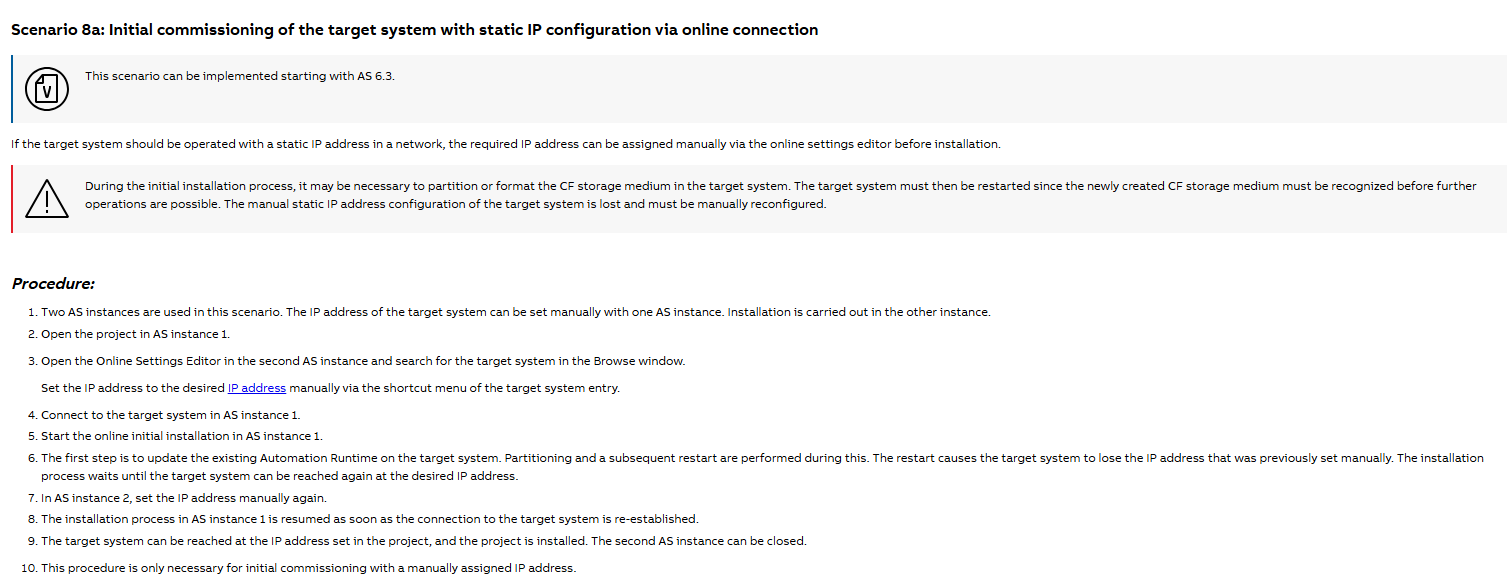
Due to a necessary reboot the PLC will lose its assigned IP adress - then the transfer stalls.
To get rid of this you need to open AS a second time and when the transfer is “stuck” you need to assgn the PLC a new IP adress. If this is done the first AS will resume its download
Hello Oliver,
Thank you so much this worked. I’m now able to connect to the PLC after the reboot.
Thanks for the feedback ! Glad that I could help 