HI I have X20CP1585 and X20BC1083 awith DIMODULE,DOMODULE CONNECTEDTO THE POWERLINK BUSbut when try to monitor Di MODUL OK WAS FALSE AND even if turn to true tha DI NOTCHANGE ACCORDING TO ACTUAL STATEI WILL UPLOAD MY PROJECT SO YOU CAN CHECK HWCONFIG FOR RECORD THI MY FIRST PROG WITH B&R


Hi @mohamed_elbardiny ,
How can your X20CP1585 communicate with bus controller powerlink X20BC1083 if you have disabled the powerlink communication?

Ciao
Valerio
@mohamed_elbardiny,
you said this is your first prj so I recommend to start with few components and add others in the next steps.
As first step just focus on CPU and bus controller powerlink, and disable all “Module supervised“:

Keep all default settings, change “Module supervised“ on X20PS9400 and X20BC1083:


Don’t forget to set powerlink node number to 1 on your X20BC1083:


Connect the powerlink cable to the correct port (sometimes when I’m under stress I connect the cable in wrong way):

After this first step, transfer the prj and I expect:
- your CPU in run mode

- When you activate the monitor inside AS, X20BC1083 Module ok to true:

If on the step 2) you see false, upload the SystemDump and attach that to your answer:
Select Tools > System Diagnostics Manager:


Check on your Downloads folder:

Thanks
Ciao
Valerio
if i enabled poer link communicaton cpu enter servmode
Hi @mohamed_elbardiny ,
when you open the system logger I’m 100% sure you see the cause of the problem:


Please attach the SystemDump, inside we have all loggers.
Keep going Mohamed, never give up!
Thanks
Ciao
Valerio
loggers.zip (15.6 KB)
this loggers file please i need help as soo as possibble

Hi @mohamed_elbardiny ,
I don’t know why you are trying to change Ethernet and INA parameters.
You have X20BC1083 so you need to activate the Powerlink communication and set Operating mode to Powerlink V2:

Ciao
Valerio
Hi @mohamed_elbardiny ,
We have some suggestions in the help for the errors 30274 and 32173:


Are you changing ETH IP address or Powerlink IP settings in your tasks with AsArCfg library?
Could you try to disable all your tasks, transfer and apply a warm restart?
Thanks
Ciao
Valerio


Hi,
As @valerio.manenti mentionned above:
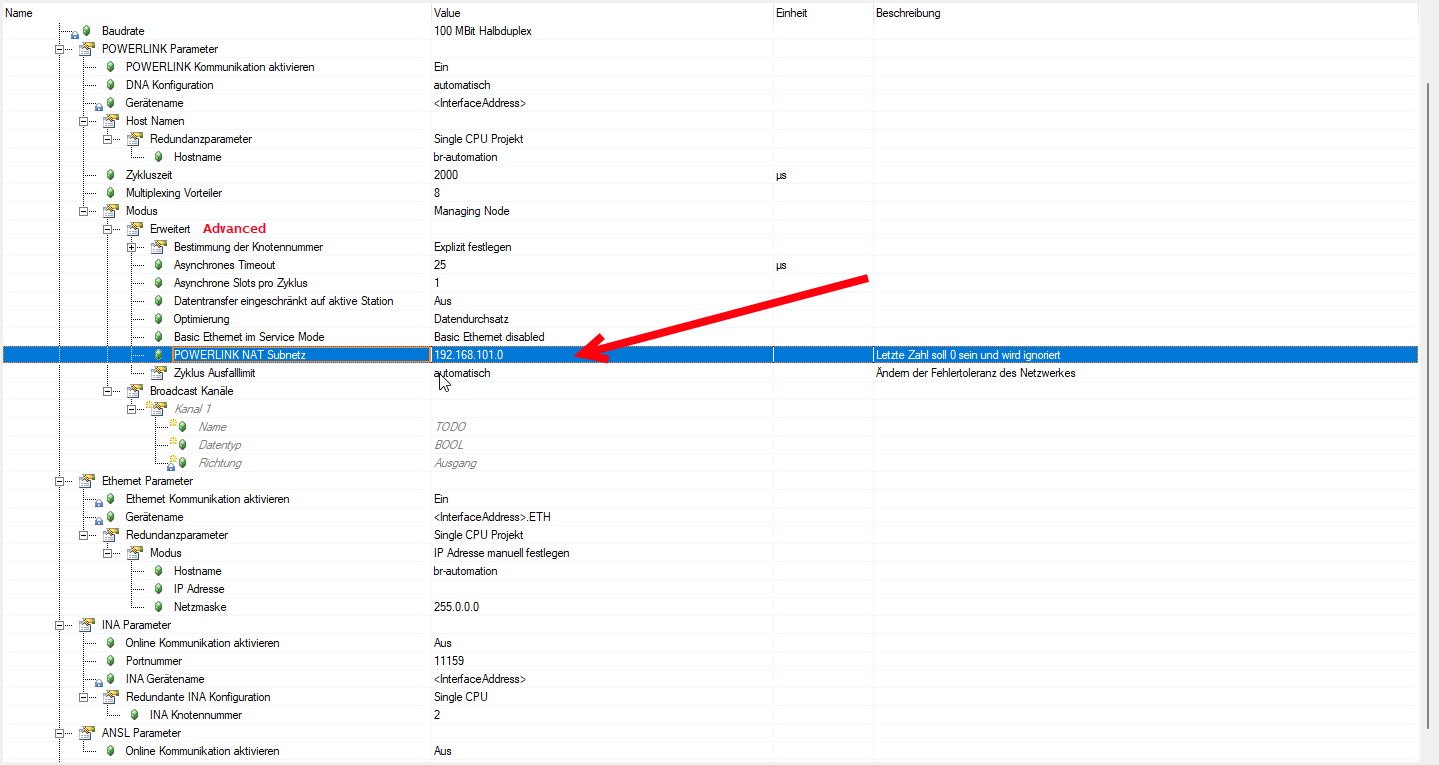
In the powerlink configuration, please let the “Ethernet parameters”, “INA parameters” and “ANSL parameters” to default values.
You didn’t need to specify the IP Address and Subnet Mask for Powerlink.
For INA parameters it’s a legacy protocol that is here for compatibility, so you let default value because you not gonna use it.
For ANSL it’s the current protocol to communicate from AS to the PLC, but on the Powerlink it didn’t needs to be activate, it’s already activated on the ETH (IF2).
Hope that could help!
Regards,
Florent
Unbelievable, yesterday I was looking for long time NAT settings in the powerlink configuration.
Thanks!
@mohamed_elbardiny I tried to configure your settings with my X20EM0612 and AS 6, then I got this error message:

Thanks
Ciao
Valerio
Same issue with AS 4.12:

@mohamed_elbardiny I’m sure if you follow our recommendations you’ll fix the issue otherwise you just increase your frustration…not healthy!
Ciao
Valerio
@valerio.manenti
You must first change the SubnetMask in order to prevent that he thinks you use this huge subnet.
I have currently no time to try… but i think then the error you show does not occure.
It is for sure possible to have IP-Activated simultanious to Powerlink, i even made ANSL Routings and online Communication in the Past. But this Projects were on old Laptop.
If he has this requirement to use it we can make it work, but you are all right, if there is no need we shall start simple.
Greetings
Michael
Greetings
Michael
HI @mohamed_elbardiny ,
in your AS 4.2 if you make a mistake on the Ethernet parameters on the powerlink interface you get only a warning:

I suspect other people made same mistakes in the past that’s why maybe R&D has introduced the error popup message on AS 4.12 for example.
@mohamed_elbardiny Do you have the same warning on your Output?
Thanks
Ciao
Valerio


not exist alsoi tried but not found