Hi,
I’m trying to run a project in Automation Studio using simulation mode.
After compiling the project, when I click Transfer, I get the following message:
What’s interesting is that when I open a blank project, both options work fine — simulation and VNC visualization.
The project I’m trying to open is a working project from a physical controller.
Has anyone experienced a similar issue or knows what might be causing this?
Look at the bottom right status bar of Automation Studio, it should say ANSL for transfer, not INA.
INA is the fallback if no ANSL connection could be established (e.g. because of bad network, CPU load, CPU still rebooting)
Often changing online connections from AS to re-start the online connection works to solve this.
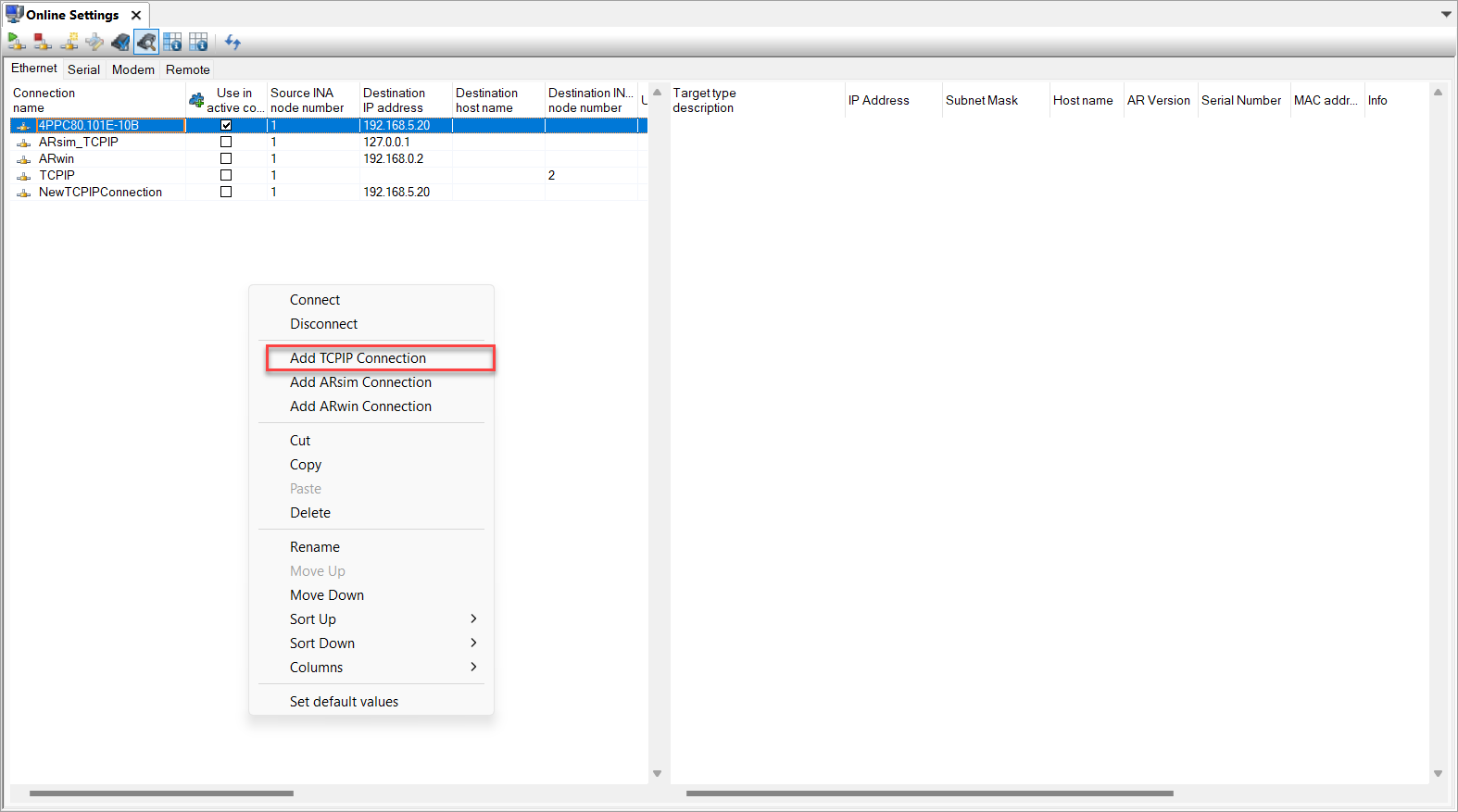
Or you can resolve it manually on the Online Settings page by connecting from there add TCP IP Connection.
The simulator starts up, but VNC still shows this error. While uploading the program, the green bar doesn’t reach the end, and it only works after restarting the simulator.
EDIT:
It worked - the issue was caused by a different port.
Hi, I managed to do it in one project. I did it analogously in another one, and a moment after starting, in the lower bar it shows ASNL, and after 5 seconds it switches to INA. The only difference I see is that in the working configuration, the lower bar displays 5PPC2100.BY01-000, and in the non-working one it shows ARsim.