I have a B&R computer Model 5PC810.SX02-00 Widows XP embedded I am running a SDL smart cable.
I have a 5AP920.1505-KA0 monitor. the touchscreen has no response I have tried several monitors. I am not getting any response from my touch screen
I have ELO touchscreen loaded. I am thinking i may possibly have corrupt driver. I do not know what the difference or drivers needed using the SDL cable.
which processor board you’re using? On the material sticker on the device, the order code should be listed beginning with 5PC800.Bxxx-yy (for example, 5PC800.B945-10).
Knowing this order code, it’s easier to find the right documentation / user manual.
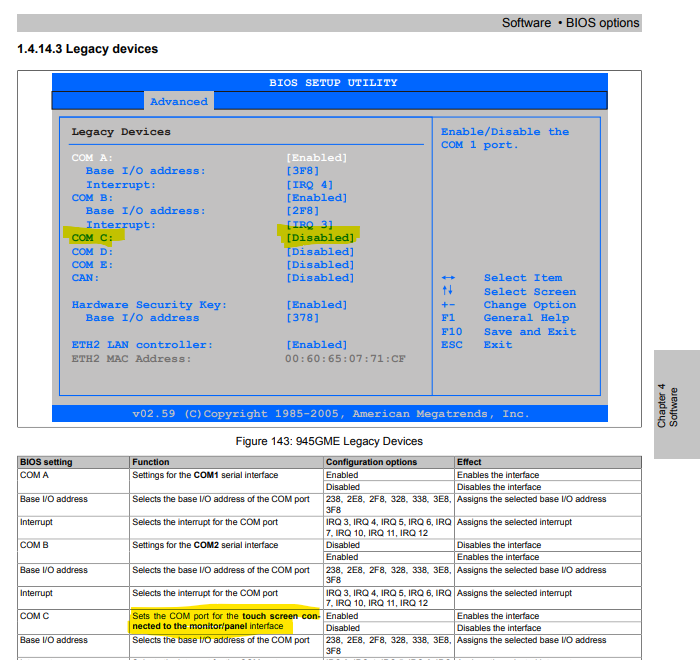
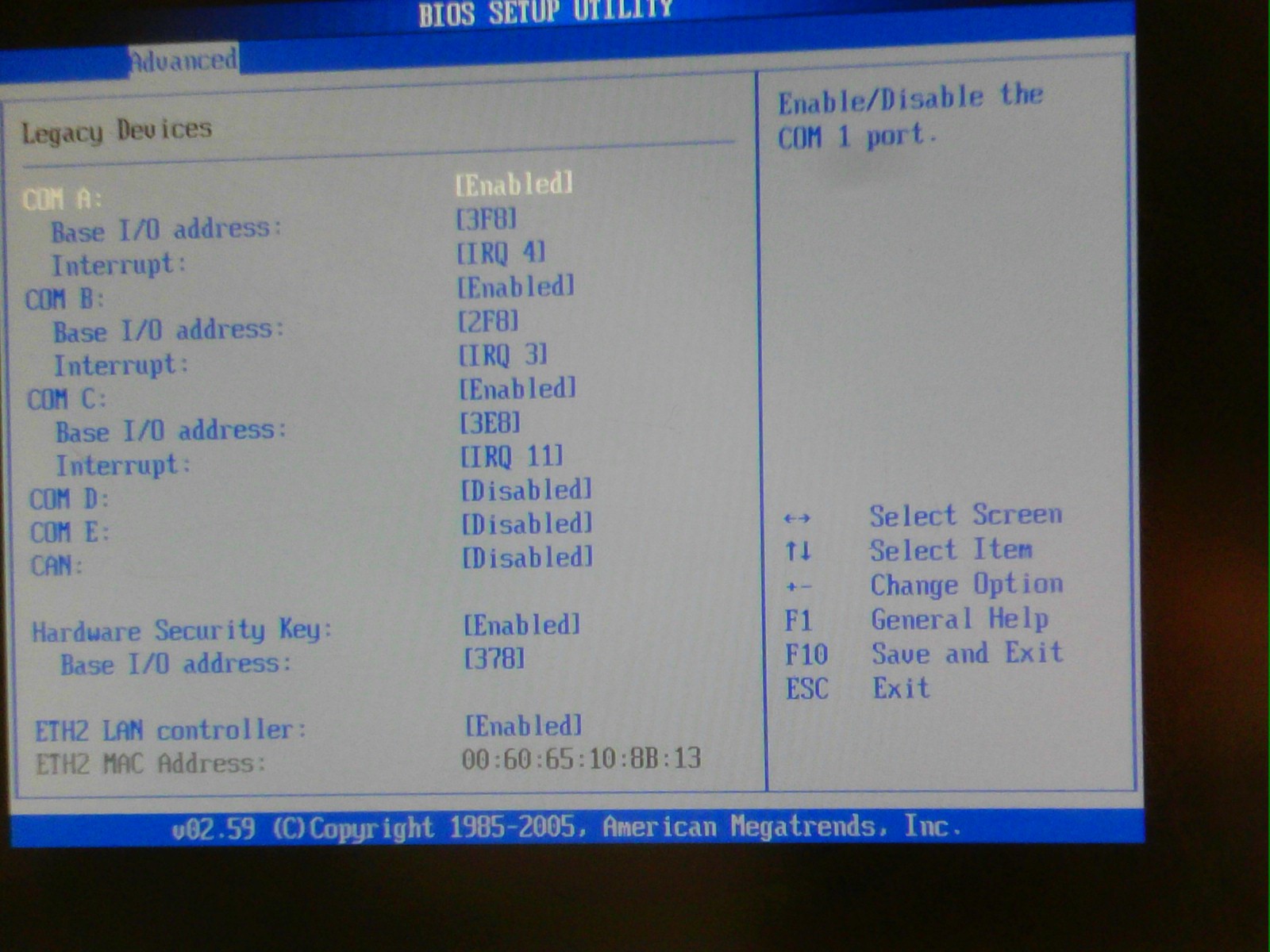
I would check first in the BIOS of the APC, if the internal interface “COM C” is enabled - this interface is the COM-Port used via SDL to communicate with a serial touch device.
I’m not sure if the BIOS setting is everywhere the same with all different 5PC800.B - boards, but I would first take a look into “Advanced → Baseboard / Panel Features → Legacy Devices” - if there’s a COM C entry and it’s disabled, please enable it.
the 5PC810.SX02-00 is just the baseboard.
But your picture shows already, that the COM C is enabled, so as I know that’s all that can be checked.
I checked your displays order code, it’s a customer specific device using a ELO resistive touch controller.
So the ELO driver running on COM 3 in Windows should be the only thing needed, I’m not aware of any other drivers needed to get the touch running via SDL.
About the SDL cable I only know that the cable needs to have all pins connected: cables delivered by B&R fulfill that, 3rd party cables like standard DVI cables maybe have not all connections needed.
As you said you’re using Windows XP, unfortunately drivers for XP aren’t longer available for download on the website.
So I only can recommend to contact your local B&R office if they have the legacy driver from ELO still available, that was proofed to work with the B&R displays.