I have problem on my machine relate with B&R X20 system
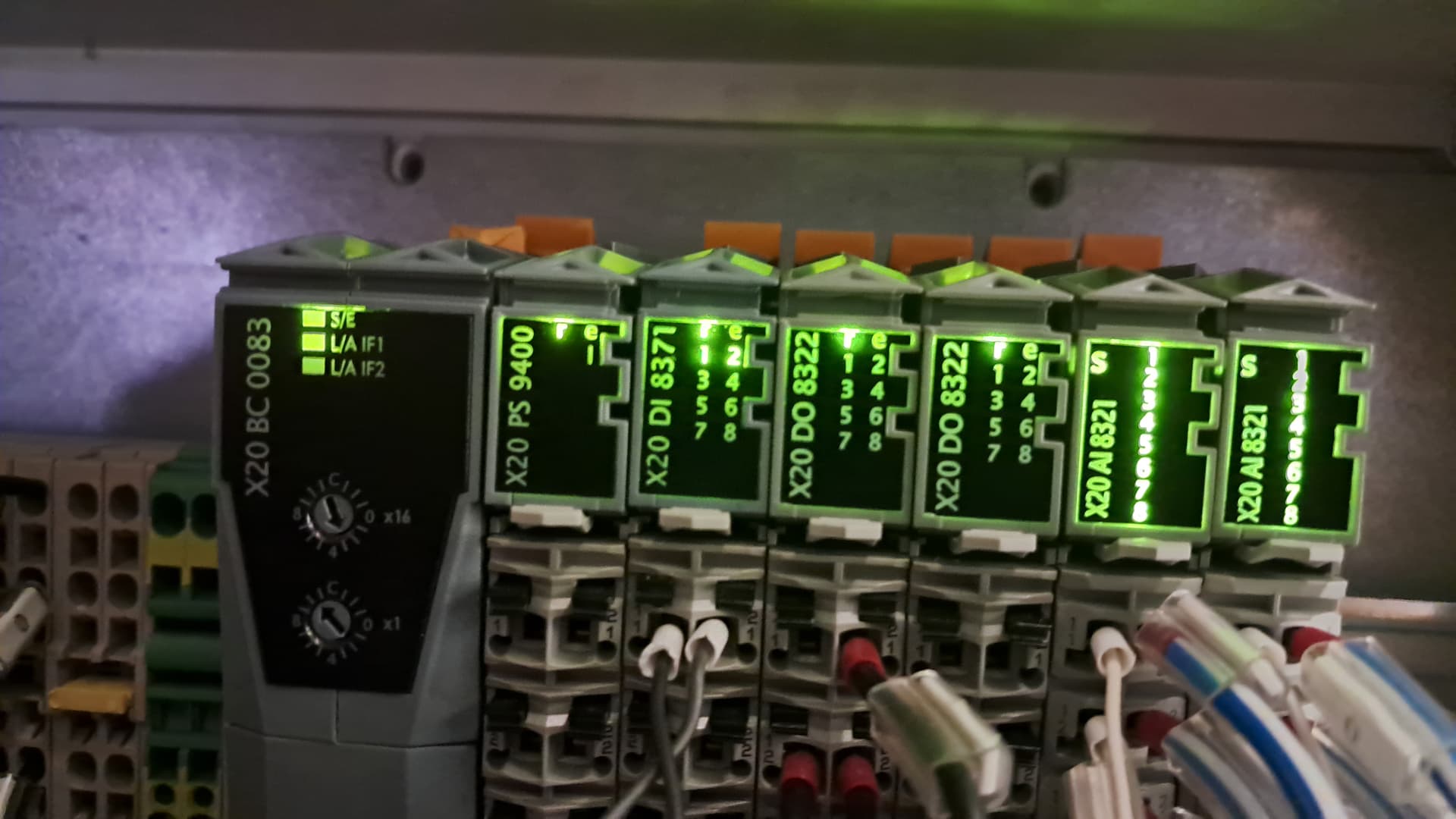
This is my first time I handle B&R, the problems are X20 BC0083 blinking on SE (red) and X20 PS9400 on r indicator go red and then green again at same time
Hi Gatra,
it’s hard to say what the issue is from just the lights. It looks like both modules go into pre-operational. Maybe there is an issue with your Powerlink cable.
Is this a new problem, did the machine work before?
What is the frequency of the issue?
How do you fix the issue when it occurs?
Try to open the diagnostic interface from the PLC. Enter the IP of the PLC in a web browser followed by /sdm. (like this http://192.168.1.44/sdm/)
Yes this is new problem for us, the machine running correctly before
Now happen when machine run 1-3 minutes and then alarm occur
For general just reset the alarm on hmi, machine run again until after 1-3 minutes it will blinking again
I’ve done to separate the power for XB link and I/O like on manual book X20 PS9400, try to make sure the input voltage upper 23.5 vdc when running too but still blinking on card
I check on hmi when alarm occur, no fault on hardware tree, still normal
Try to increase the voltage to 25V on the power supply. In the image above there should be a tab “Logger” next to Motion. Can you take a look what it says on that page.
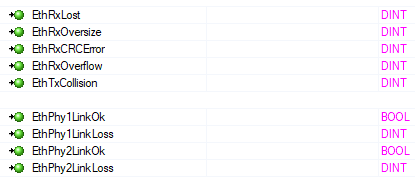
maybe there are some timing issues or collisions on the bus.
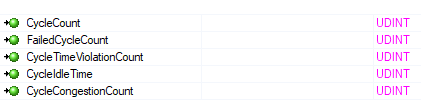
There are some diagnosis I/O datapoints in the I/O mappfing of the PLK IF card and the X20BC0083:
PLK IF:
Hi @Gatra_Barlian were you able to find a solution to your problem? If so, please mark the answer that helped you the most to aid others that may come across this thread in the future.