We want to know what procedure is for
replacing ppc2100 to c80 controller
Currently AS V 4.12.3.127 sp project is ready with
PP2100 & with Mapp view need to convert to c80.
Please help
We want to know what procedure is for
replacing ppc2100 to c80 controller
Currently AS V 4.12.3.127 sp project is ready with
PP2100 & with Mapp view need to convert to c80.
Please help
Is PPC2100 configured as a hypervisor system? If so, then just replace ‘hw’ in Automation Studio. Very likely, there will be a need to adjust some configuration, but AS will tell you what needs to be adjusted.
Visualization:
If the C80 display has the same size as PPC2100, then it should be quite easy. If not, you have to adjust your visualization (or use zooming).
Just drag and drop hw to proper interface. So ACOPOS to PLK interface and all DI to X2X. Please make sure that PLK and X2X configuration from IF card is also apply to respective interface of C80
Correct for X2X link..on powerlink you still have hw. So this has to be also moved. Before you delete IF card, please check configuration of X2XLink and EP on the IF card and copy to C80 as well.
Check configuration of X2x link and same copied to c80 and then deleted the unconnected Hardware module.
But now,
errors are coming after rebuild, fyr
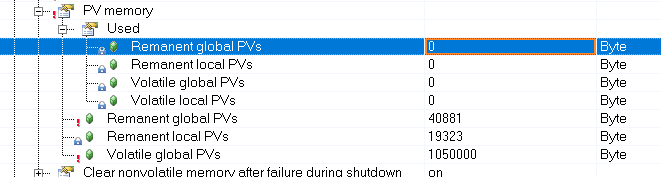
Permanent variables are not supported on C80, so you have to change it and make the variable remanent or store it in the data module. In my application, I have done so far, I have never relied on remanent variables for many reasons. But this is about application design.
Content is generated by AI.
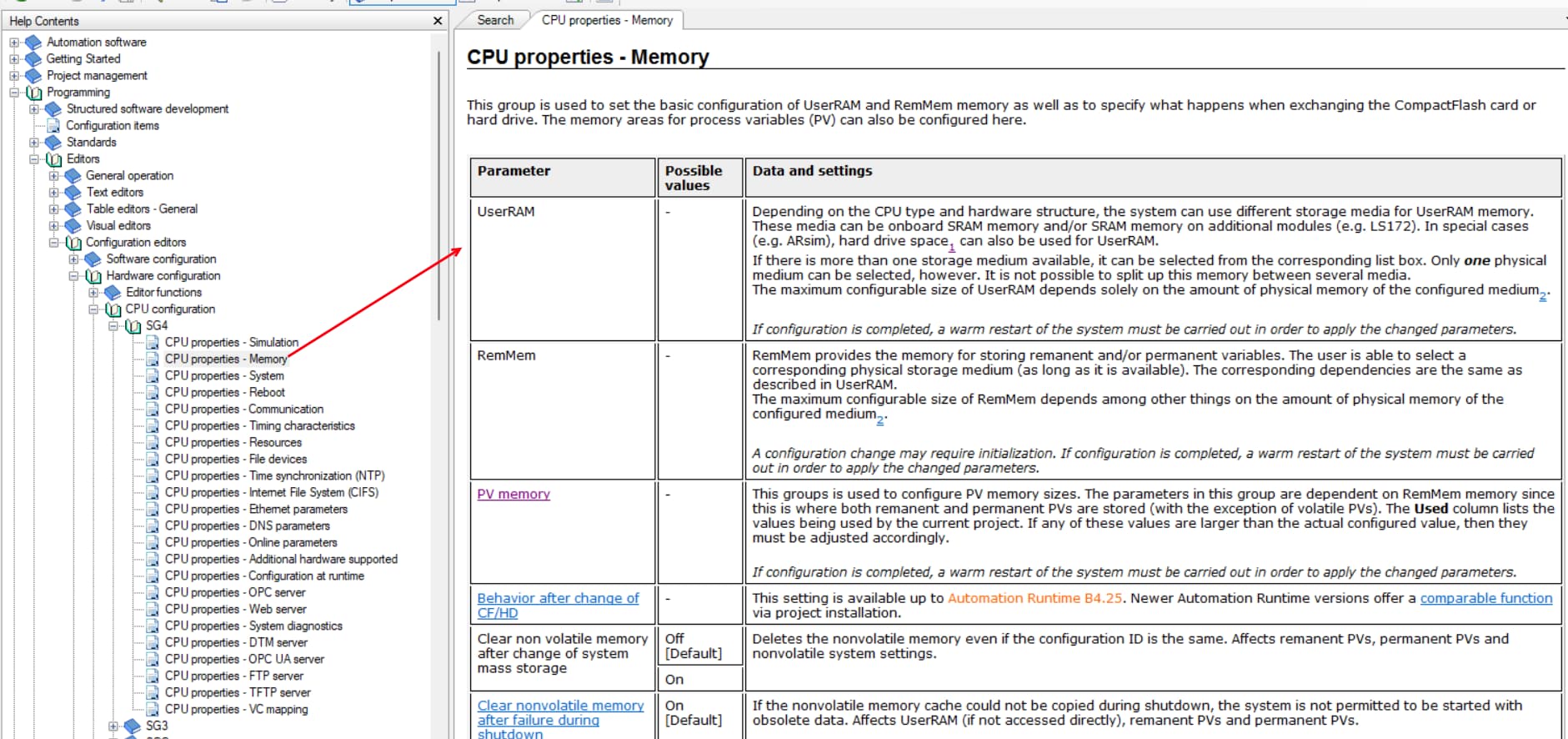
To resolve the issue where the combined size of UserRAM and RemMem exceeds the maximum allowed limit of 64,000 bytes, you can consider the following steps:
Review Memory Allocation:
Adjust Memory Configuration:
Optimize Variable Usage:
Configuration Changes:
Consult Documentation:
By following these steps, you should be able to adjust the memory configuration to resolve the issue of exceeding the maximum allowed size for UserRAM and RemMem. If further assistance is needed, consider reaching out to B&R support for more specific guidance.