SafetyPLC wont connect to X20SLX806

Hey, i have a X20SLX806 SafetyCard and im trying to run my motors. I already set two Axis and can see them on the mappCockpit.
Those are the things i already have in my SafetyDesigner. What can i do ? im questioned…..
When i click SafePLC this comes up:

This is my communication settings:

my variables:

my program in safetydesigner

my frequency converter:

my I/O Settings of the safety card

Hello,

  • Do you have transfered the grey Automation Studio Project and do you have a online Connection to your grey PLC active in your Automation Studio?

  • Is the grey PLC in Mode RUN?

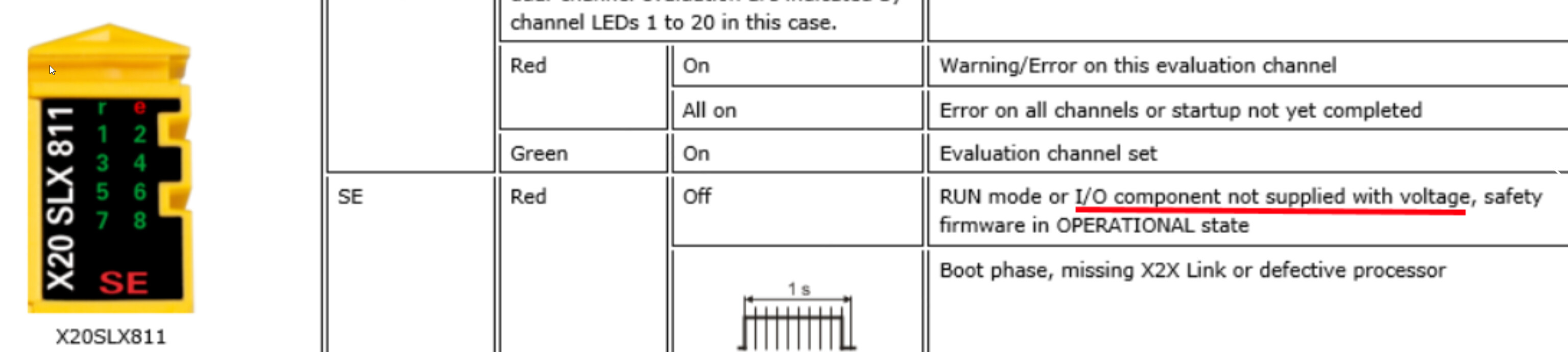
  • Does the IO-Suppy have 24V for the X2X Backplane the X20SLX806 is connected to?

It depends on the Supply Module (X20PLC, X20Buscoppler, X20Busreciever) how the IO-Supply is supplyed. But this has to be present that the X20SLX is working.

Greetings
Michael

Below one of my mistakes I put on the top on my “don’t do that again!“:
I was not able to connect to my SLX because I didn’t connect (as Michael said) 24V to 24 V I/O. In my mind it was enough to apply 24V to the CPU, yup just in my mind.

If you use SLX next to EM cpu:

don’t forget to connect 24V to 24V I/O connector otherwise even you see LED on SLX you can’t connect to that:

Ciao
Valerio

1 Like

i already have that, but i think theres a problem with SafeDESIGNER Communication Settings!

Hi @yaree98 ,
few questions:

  1. (Michael’s) Do you have transfered the grey Automation Studio Project and do you have a online Connection to your grey PLC active in your Automation Studio?
  2. (Michael’s) Is the grey PLC in Mode RUN?
    2.1) Could you upload SystemDump?
  3. Are you using Mapp Safety? Which version?
    3.1) Have you enabled the visualization on the General safety configuration?

Do you see your SLX after Login and Connect steps?

in my case I have configured Safety User in this way:

3.2) In case you didn’t configure the HMI, We have SfDomain library to connect/transfer/acknowledge Safe LOGIC/SLX
Try to call SfDomainConnect and tell us which Error and StatusID you have

Helpful mapp Safety pages in the help: All section Getting started

Helpful posts:

  1. SafeDESIGNER: I can’t open variable status
  2. Troubleshooting SafePLC Communication Issues

I bet six German beers that the problem isn’t the SafeDESIGNER configuration.
Thanks
Ciao
Valerio

Thank you very much, ill give it a try next week on thursday.

If it works, i owe u 6 german beers :wink:

i’ll answer you, when im back in the school

But how did you get into the 2nd picutre: Connection to SafeDOMAIN ID:?

there is a build-in mapp View visualization, you don’t need to develop any code; just enable that in the configuration:

Maybe you didn’t enable that when you downloaded your AS prj, so you can’t see that.

Establishing a connection to the SafeDOMAIN

In my case, this was the URL:

image

Ciao
Valerio

after i transfered another runtime version, im not abled to upload my old (working) version. it now says OFFLINE again. im going to crash out

As soon as im transfering, im getting the OFFLINE mode. Somehow it changes my ip adress from my sps when i transfer it. i have to type it manually

When im doing this it says: no visuld specified

Hi @yaree98 ,
I see you are able to move your axis in another post:

so I think you can close this one because you have solved your issue reported on this post.
Ciao
Valerio


Moderator: Please do not treat a forum as a chat - no need to post consecutive messages as separate posts. In order to clean up the thread I have merged several posts.

Also, please do mark a thread as solved first before moving on due to a new one so people won’t waste their time trying to help further


Hi @yaree98, have you found solution for your issue? can you update us?