Automation Studio Task Manager opens and closes after a few seconds. I uninstalled and reinstalled the program, but it didn’t work. I even formatted my PC, but it still didn’t help. I don’t understand why. How can I fix this?
I do not know. But there is a similar discussion with some questions and tips on what to check: Automation Studio can`t start
If you’re talking about AS 4.x, maybe this could be the reason:
What version of AS are you installing. Please see if this solution works for you.
I tried and installed it, unfortunately it didn’t solve the problem.
I tried what you suggested, but it didn’t work. I installed the latest version, that didn’t work either. Then I installed AS_4.12.2.93, still didn’t work. I’ve been trying for 5 days but I can’t get it to work.
-Defender antivirus is off
-.NET Framework 3.5 and .NET Framework 3.8 are enabled
-No special characters
-I started the computer as administrator
-I deleted the C:\Users{Username}\AppData\Roaming\BR folder


@eem.ferhat I see one input from @alexander.hefner that is not in your list of things you did:
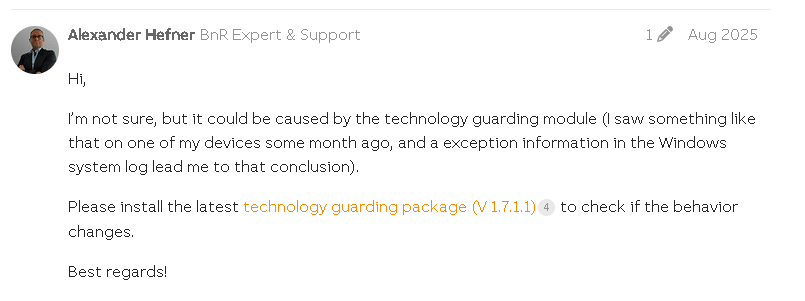
- as @alexander.hefner wrote in the comment, Do you see any exception information in the Windows system log?
I downloaded and installed the Technology_Guarding.exe file, but it didn’t work.
Hello dmr,
Try to open Evet Viewer in Windows. Try to run Automation Studio, and see if any errors appear in Event Viewer ?
Have you ever had Automation Studio installed before on this PC ?
Wasn’t AS on your PC previously with a corporate license ?
Do you have the latest version of CodeMeter installed and do you see an active license container there?
User Software - Wibu-Systems

Which license for AS are you use ? (Free, Dongle, SW license ) ?
If you don’t have a license, request a free 90-day license on the B&R website.
Then enter the code into Technology Guarding and try to license AS
Register automation software | B&R Industrial Automation

Hello, I uninstalled Automation Studio and installed the latest version, AS4.12.6.106. It was previously installed on this computer and I was able to use it. I don’t have an enterprise license; I was using a 90-day trial. I uninstalled Codemeter and then reinstalled Codemeter.
I installed version 8.40b. There is no active license container.
I am using the free AS version.
There is nothing to select regarding the dongle in TechnologyGuard. I think it’s related to Codemeter, but I don’t understand.


Can you help me? Do you understand the problem?
Hello drm,
- Try if you are able to connect license server : https://technology-guarding.br-automation.com/gatewaysExt/
You should see this. If you are not able to see license server, then check antivirus or firewall.

- Check if the Codemeter Runtime Service is running

- Check if you have cofigured right Server IP :

New Servername: brateggevapp12.br-automation.co.at (IP: 10.43.12.134)

- Try to delete old license :
DeleteLicense (2).pdf (54.2 KB)


Hi,
To avoid copy past post, I will just give you the link B&R Automation Studio 4.12 wont start - #7 by florent.boissadier
Maybe that could help!
Regards,
Florent
Thank you for your information. Hello, CodeMeter is already stopped in the services.msc directory, meaning I cannot run stop or similar commands. I also couldn’t find anything in the file at C:\ProgramData\CodeMeter\CmAct. I encounter the same problem when trying to start it. How can I solve this CodeMeter problem?
Sincerely


Did you try uninstall CodeMeter from your PC then uninstall AS. Then reinstall AS from scratch he should reinstall CodeMeter correctly?
Yes, I tried that too, but it didn’t work. I’m in a dead end.
Hi @eem.ferhat ,
You have already reported the issue 4 days ago and I see the contribution of most B&R expert in the community, so I think it’s time to involve our official Support channel.
The main office in Turkey is in Instanbul
Once you have found the cause of the problem, please share with us the solution.
Thanks
Ciao
Valerio
This looks to me like a system issue (PC, OS, and rights). I agree with Valerio that from a Community point of view, we cannot help you further, so please contact local support. If you find a solution that can be shared, please update us; otherwise, the topic is closed.
PS: share with local support link to this topic. So they can continue from point where we finish. Thanks